B2B SaaS · Ad Tech · Retail Media
Carter Ecosystem
Carter is a unified operating system for commerce media. I led design across 12 DSP integrations as one of two designers — redesigning an inconsistent, wireframe-grade platform, building its design system, and designing the multi-DSP orchestration and AI-agent features.
3×
Faster campaign launch — 1.5 hours down to 30 minutes.
↓ 8%
Draft abandonment after the guided-flow rebuild.
30%
Faster shipping velocity from component infrastructure.
4.6/5
Usability score, task-based sessions.
The short version
- The problem
- A live platform that was quietly losing people — advertisers stalled in draft and never reached a launched campaign.
- The call
- Find out why before building anything new. Interviews, session recordings and SQL funnel analysis, then got leadership to prioritise the fix.
- What I owned
- Research, IA, interaction design, the design system, and design QA — one of two designers across 12 DSP integrations in a 12-person core team.
- The outcome
- Draft abandonment down 8%, campaign launch 3× faster, engineering 30% faster off the design system, 4.6/5 usability.
- Company
- Shyftlabs
- My role
- Product Designer
- Platform
- Desktop Web
- Duration
- 12 Months, 2 Phases
- Design team
- 1 of 2 designers
Tools · Jira · Figma · Storybook · React · Tailwind CSS
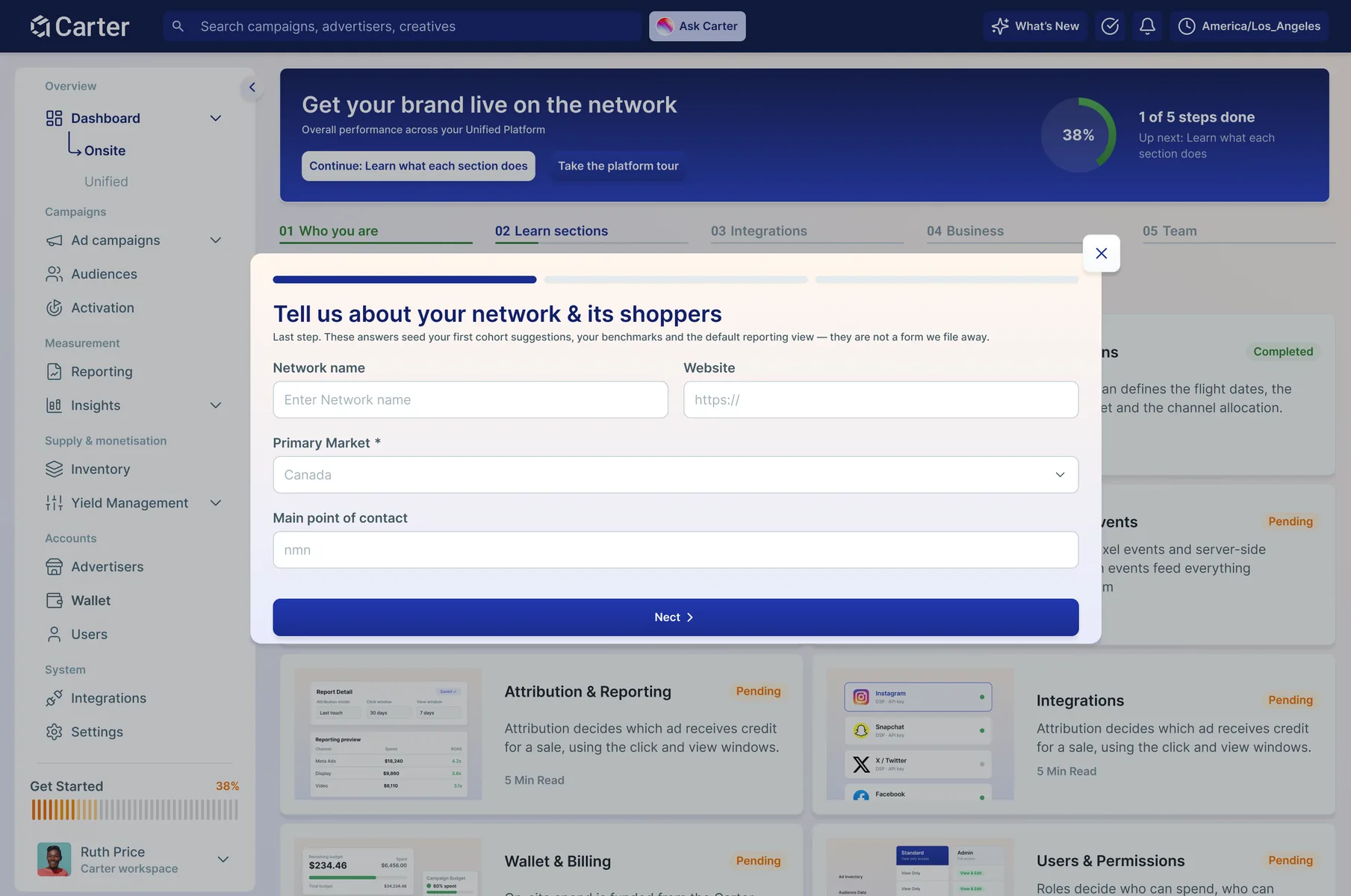
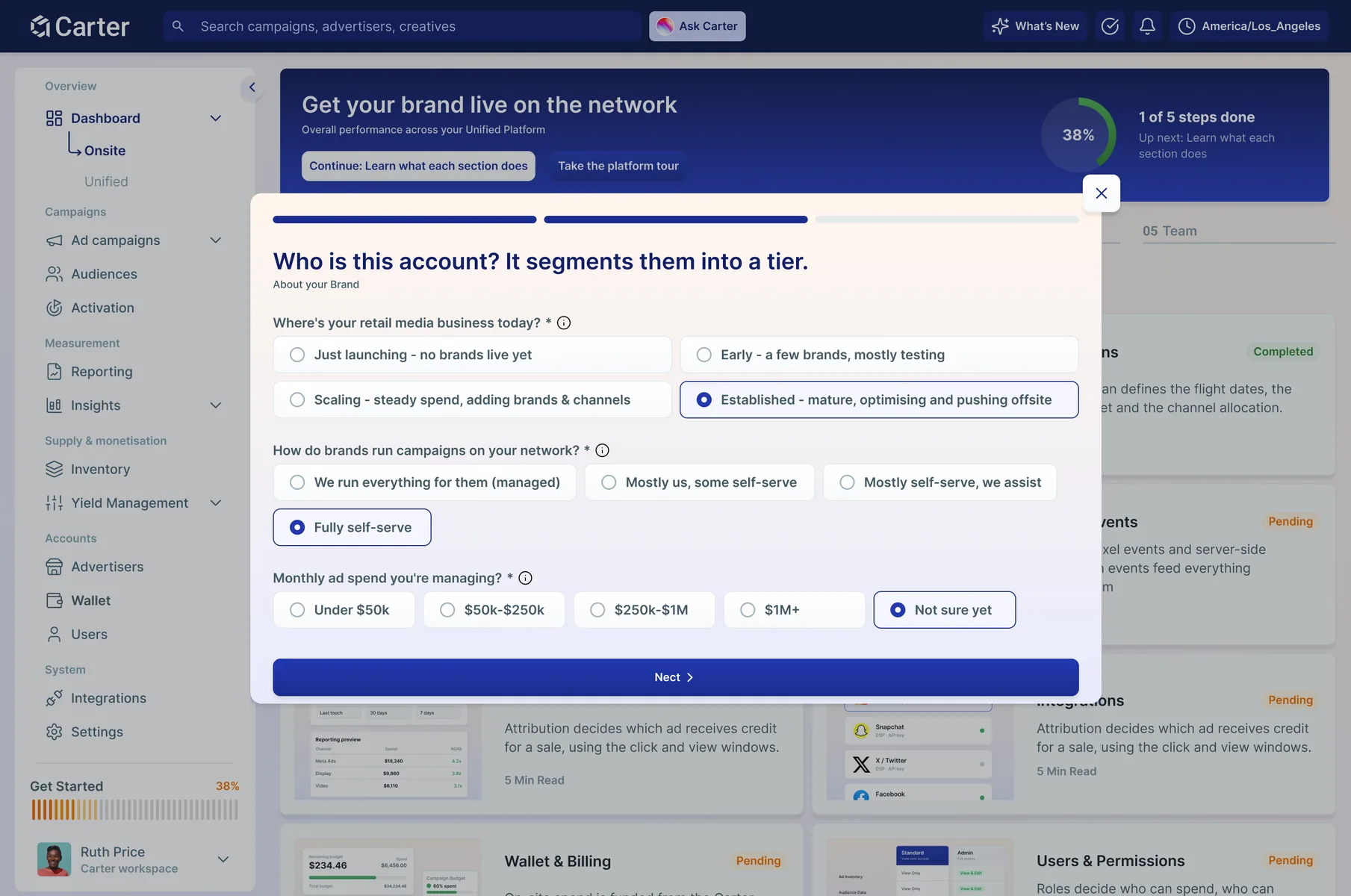
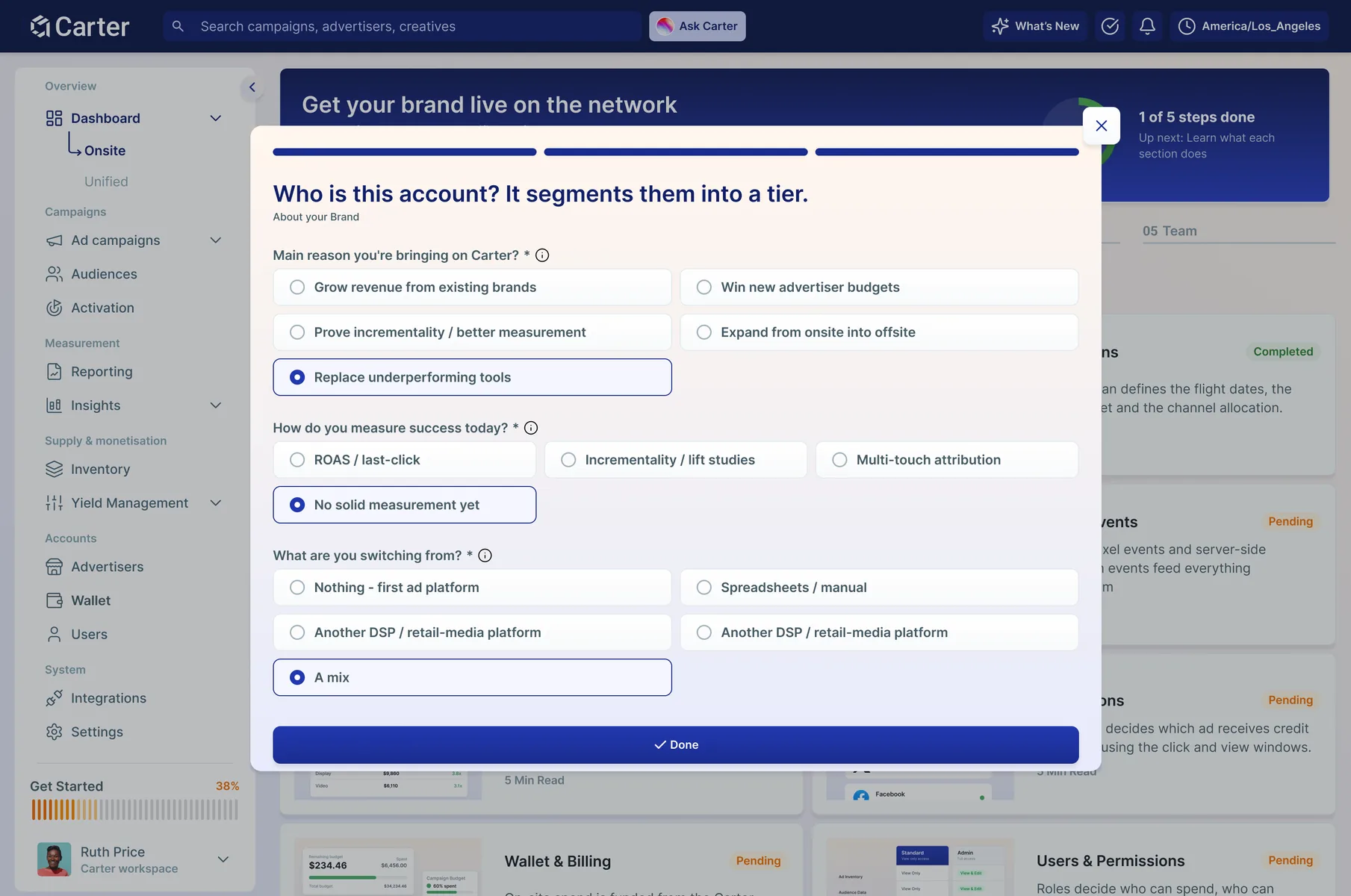
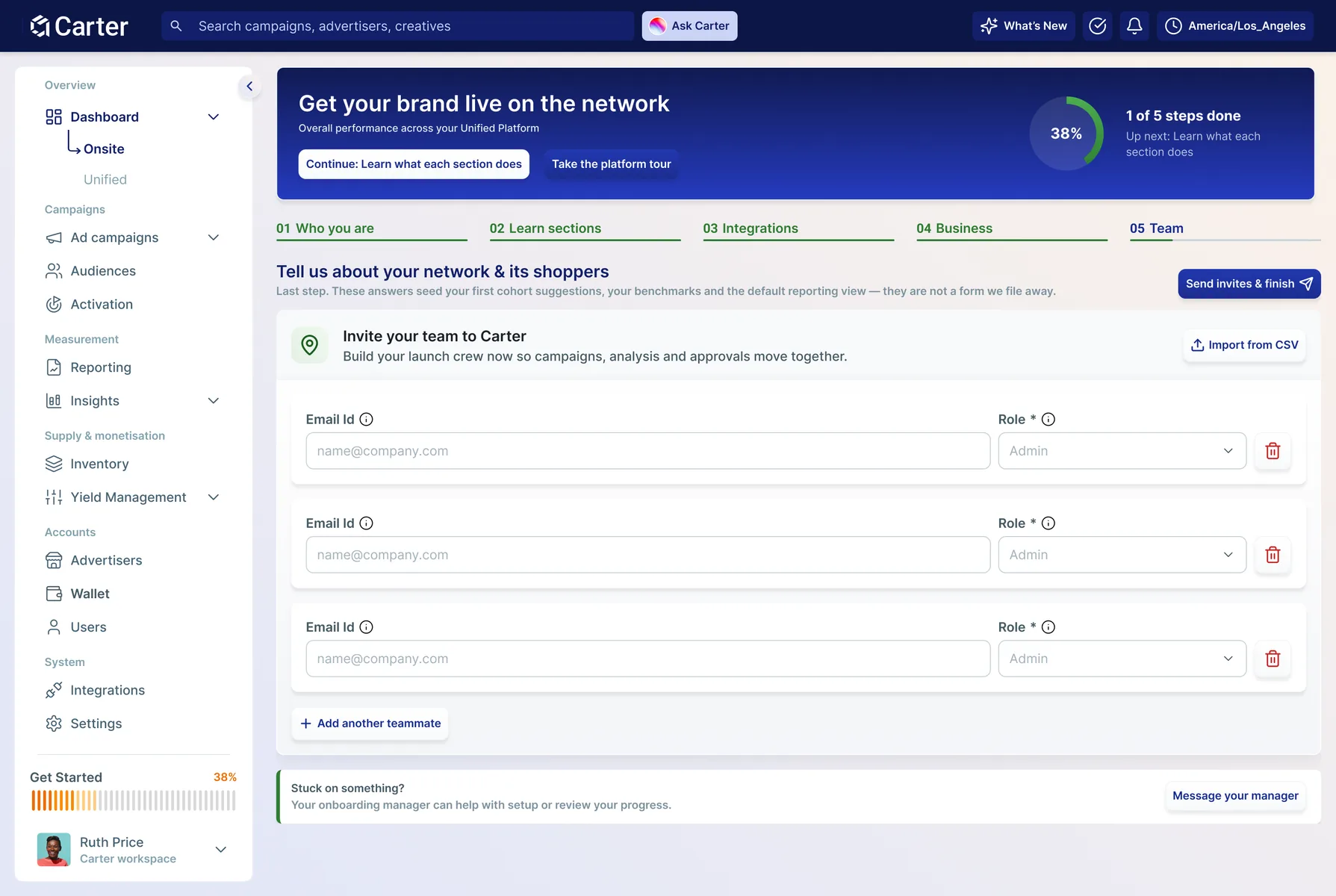
The Get Started flow
What a new advertiser sees first.
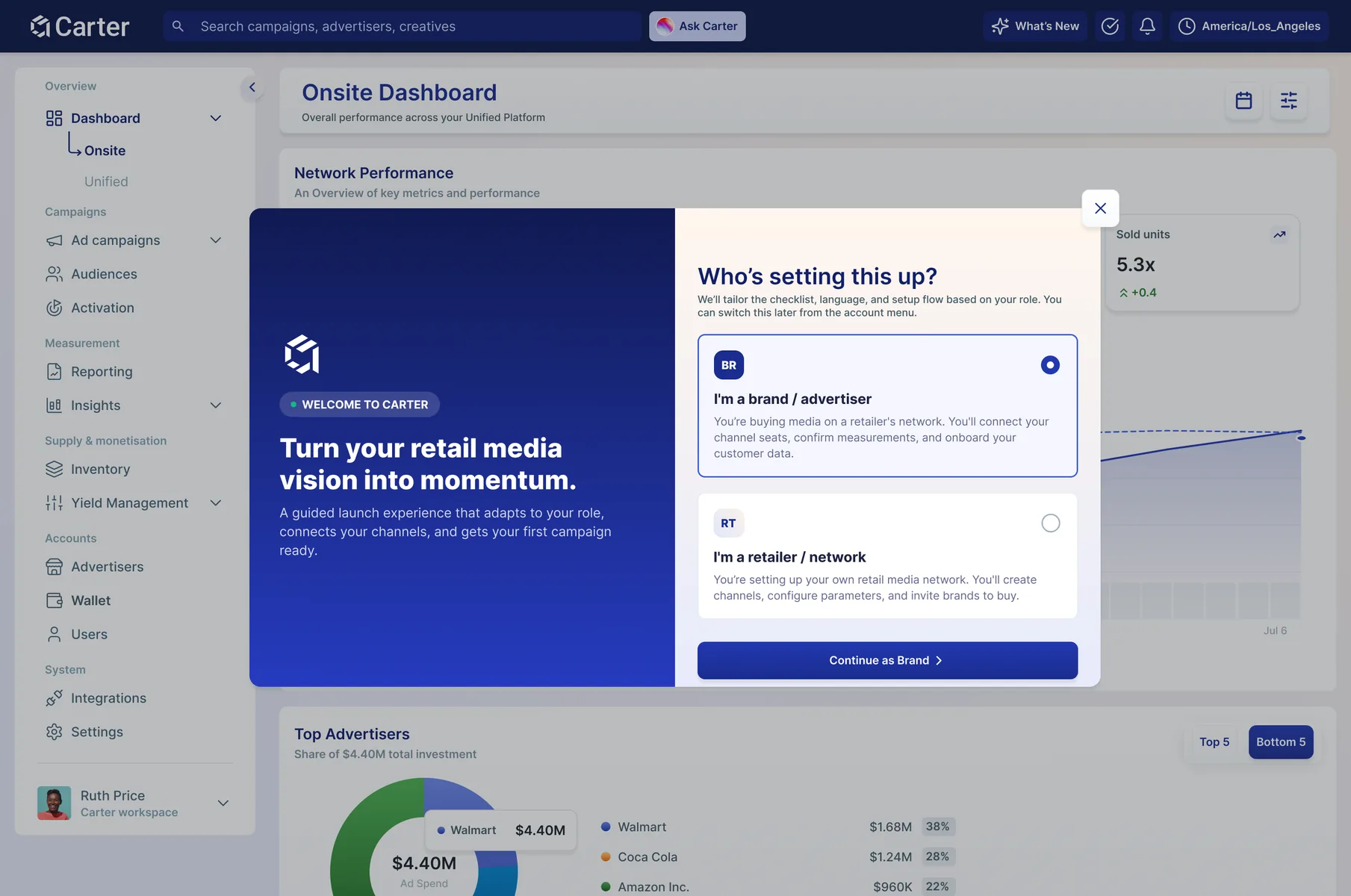
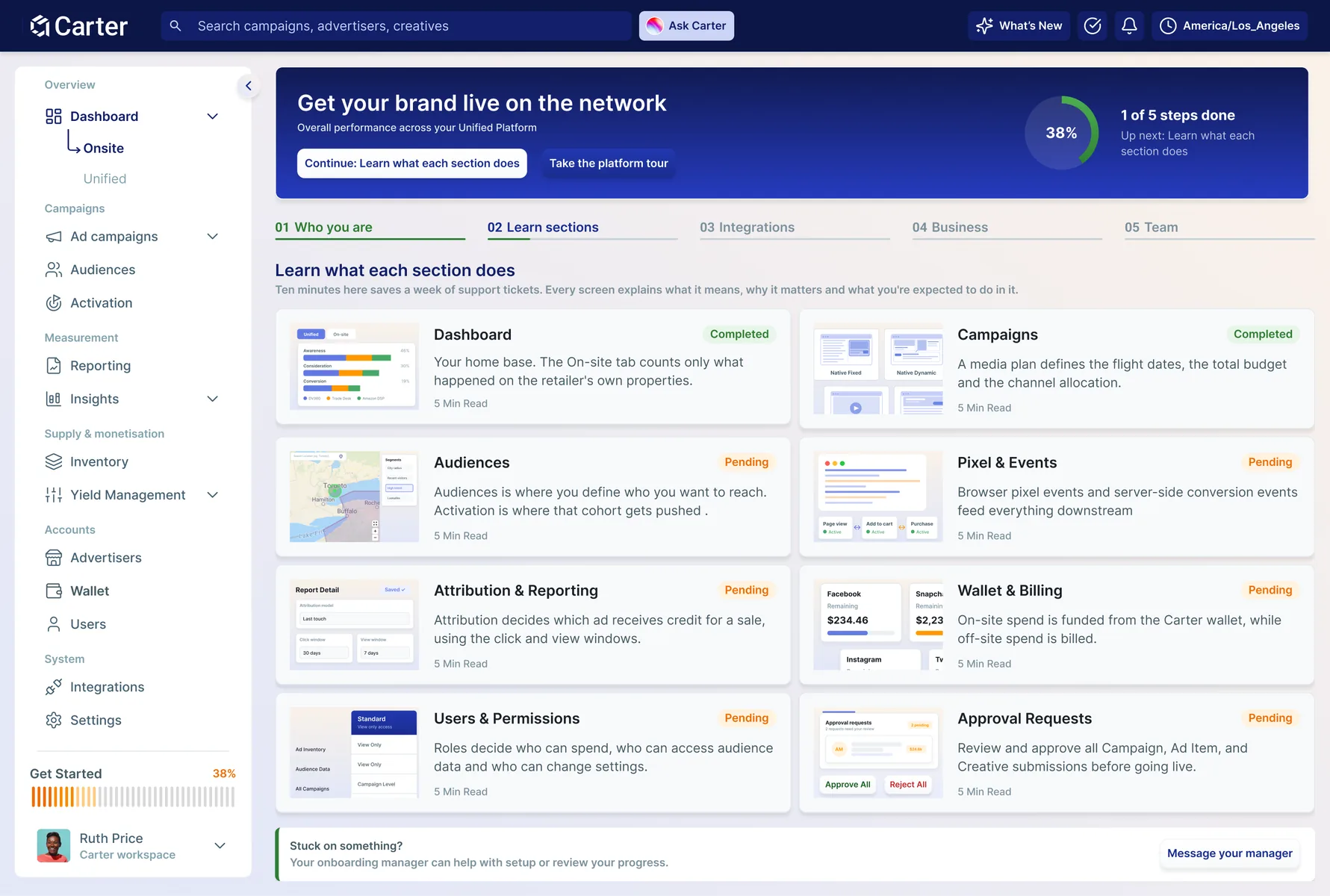
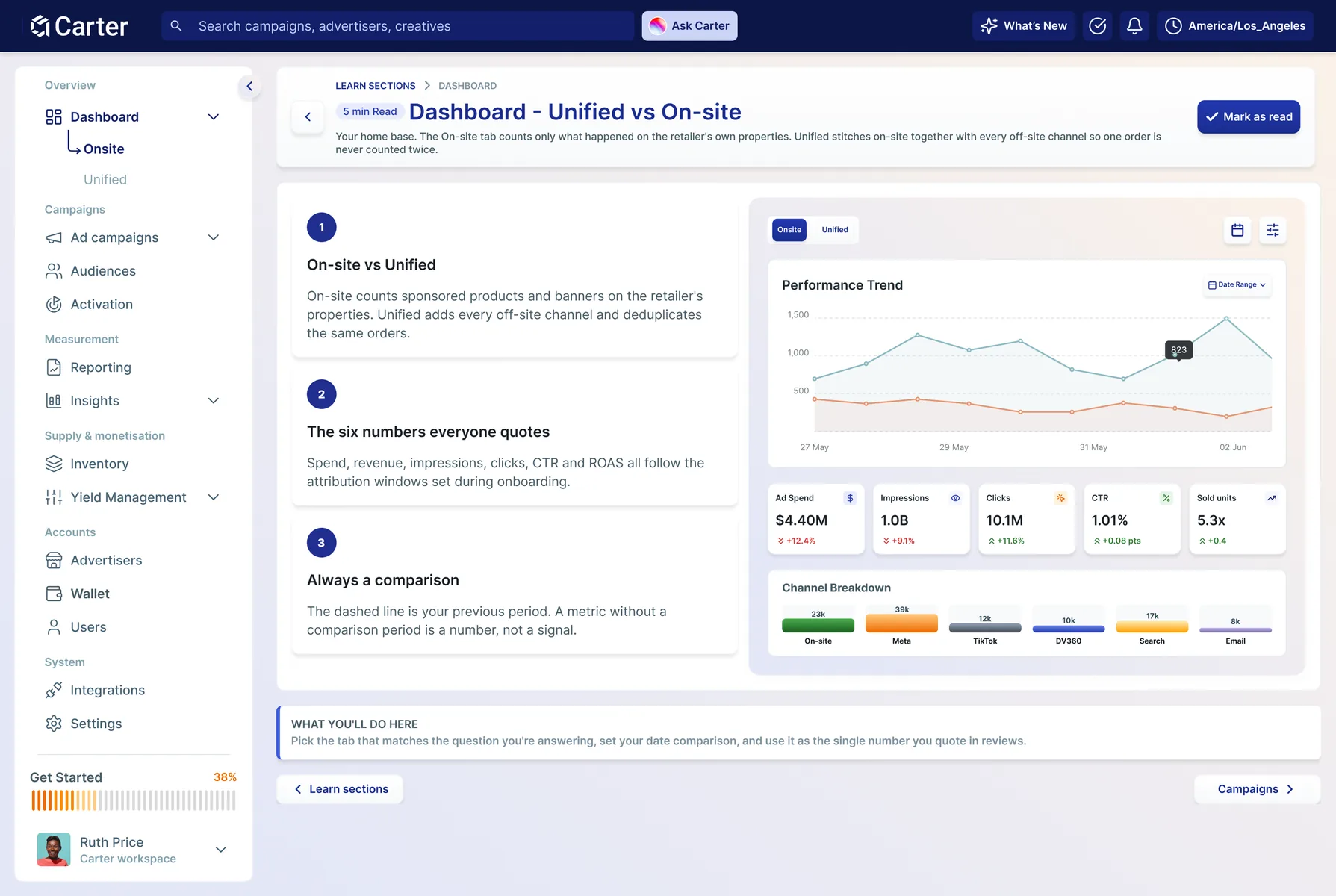
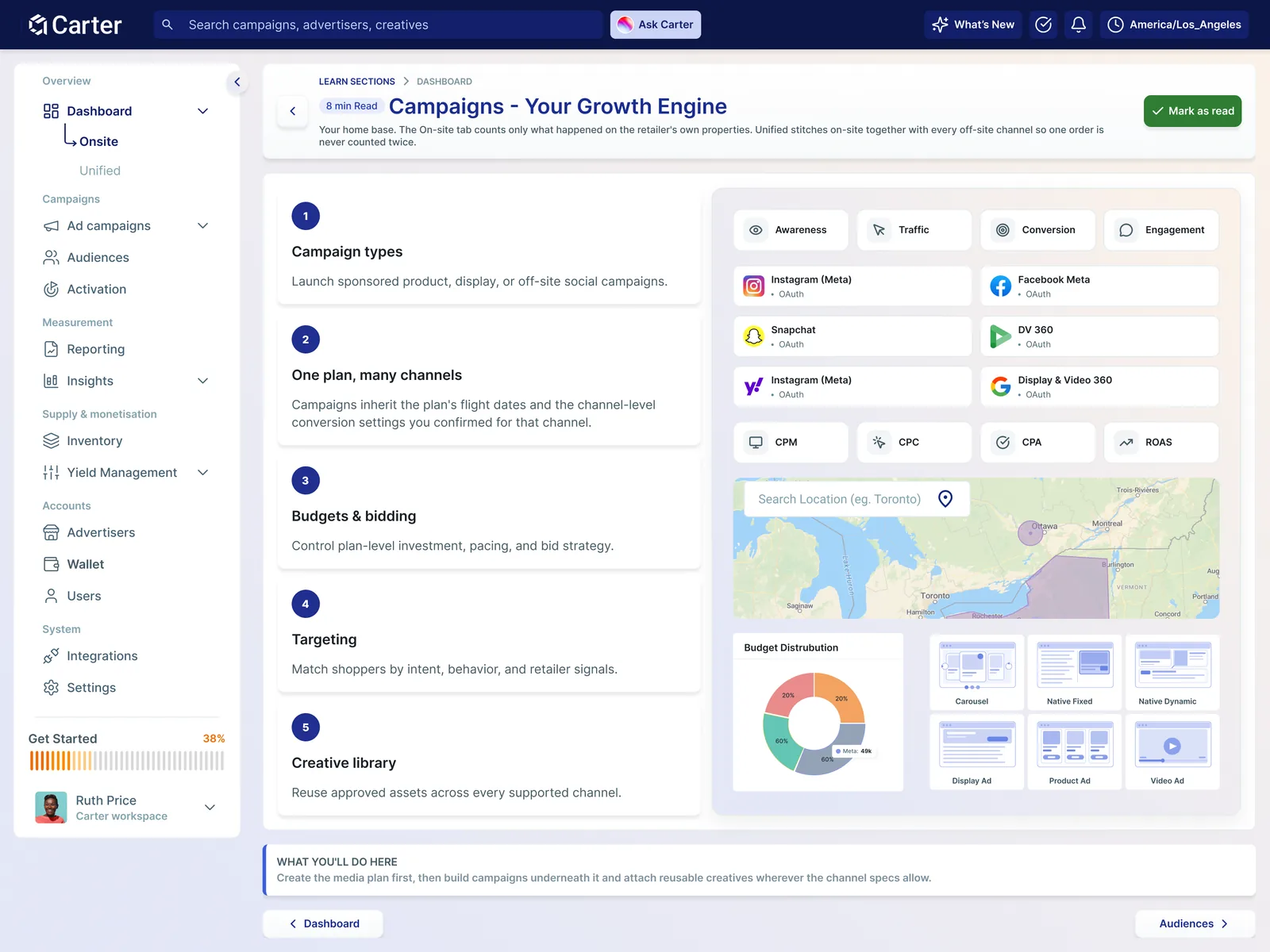
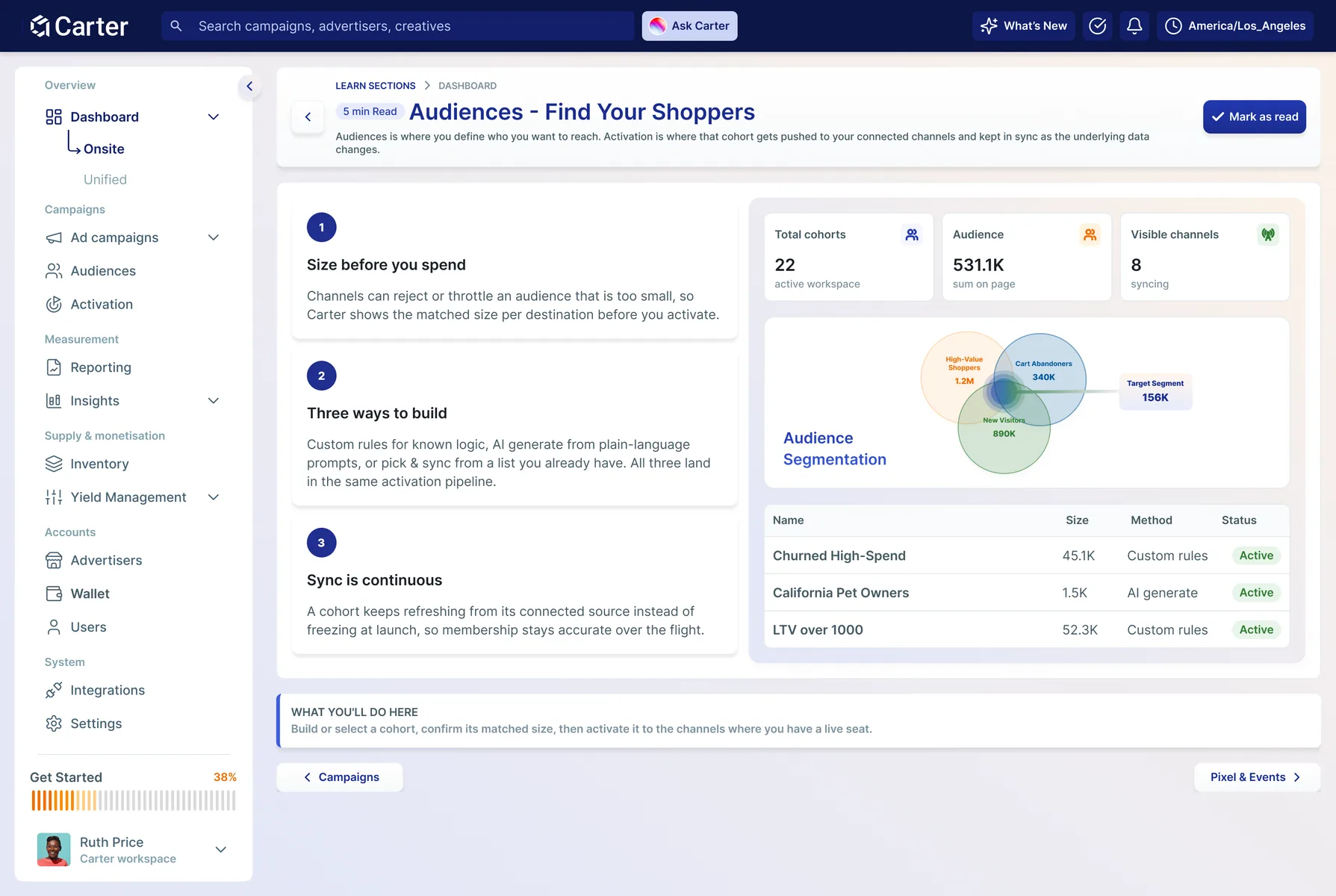
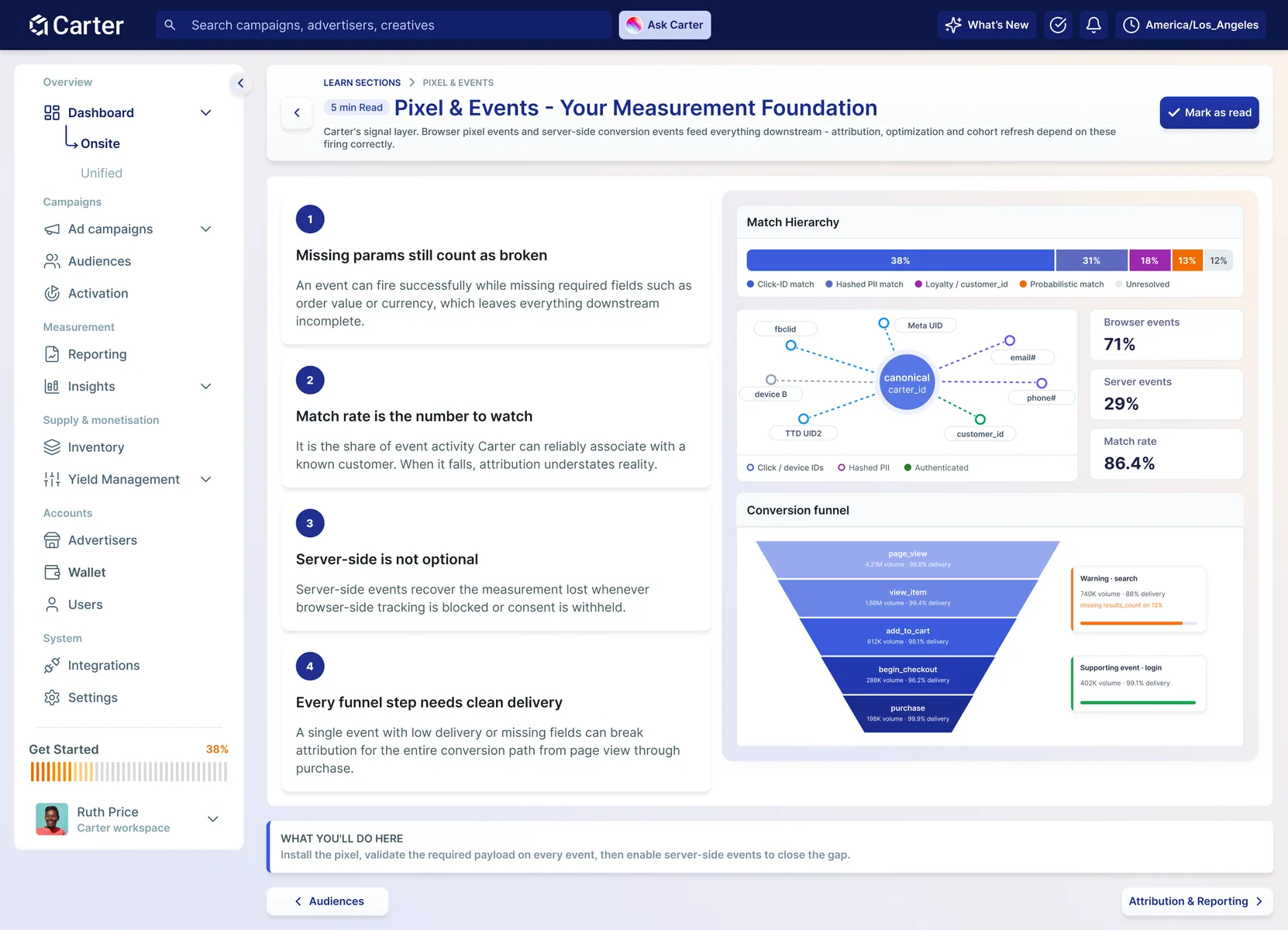
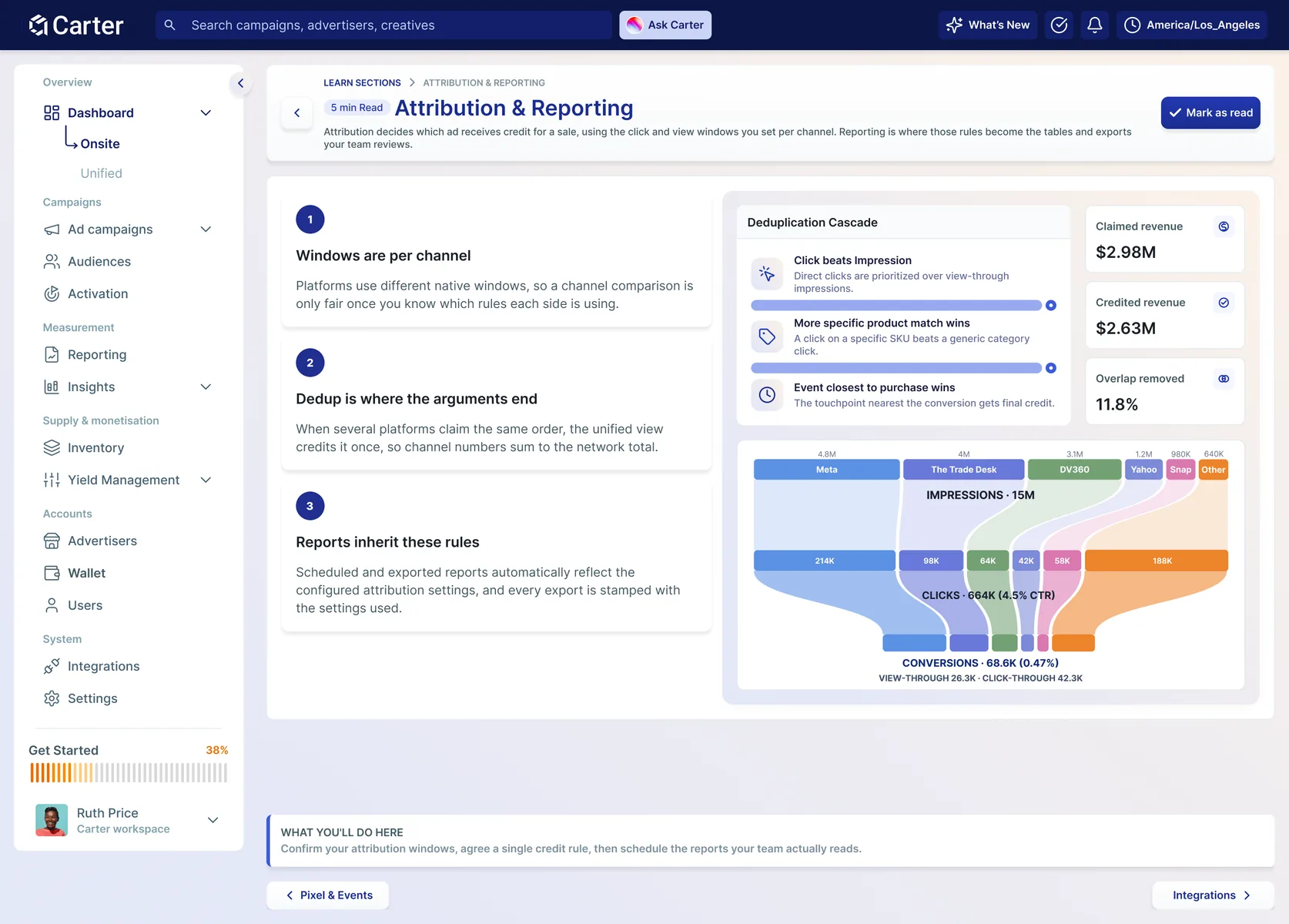
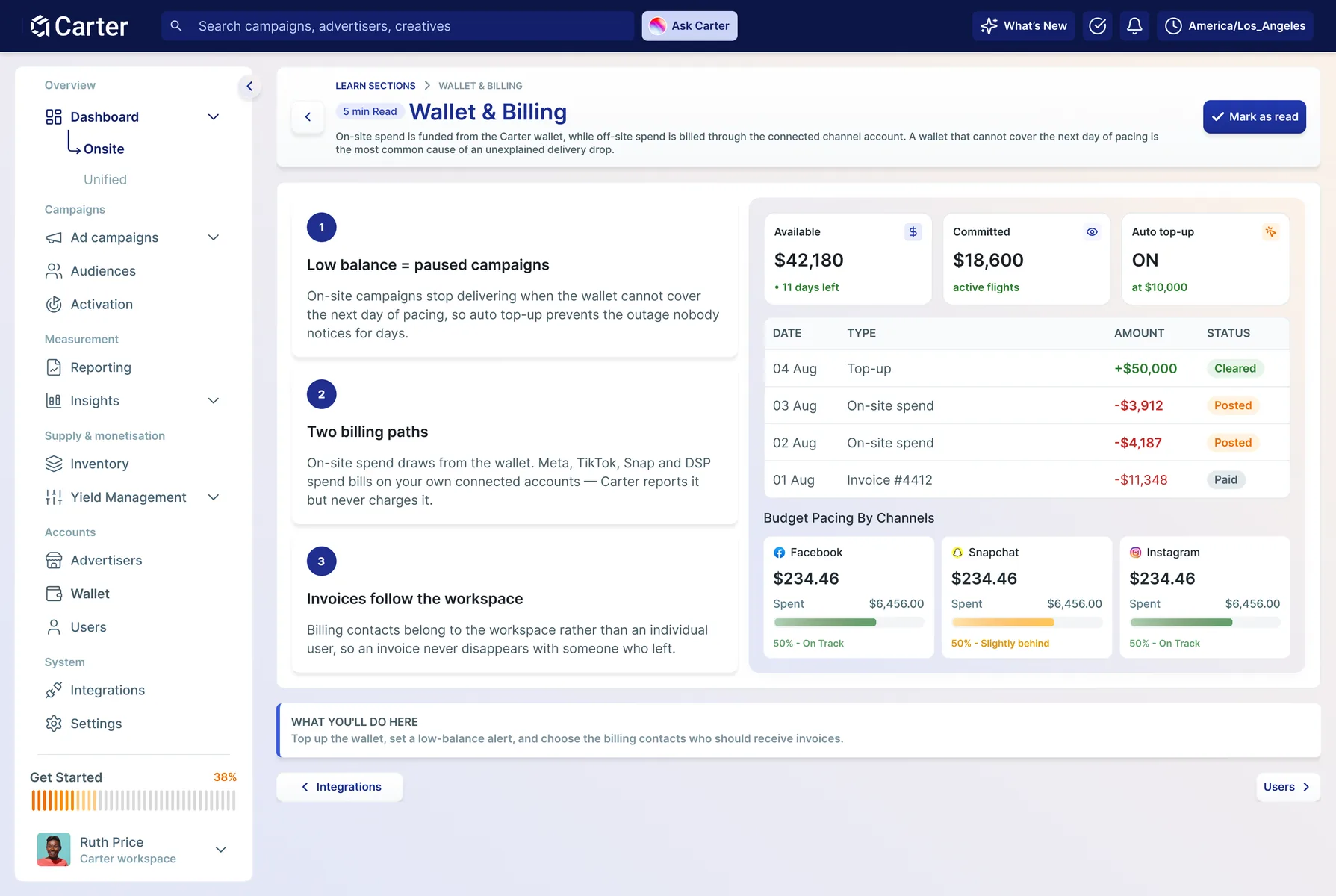
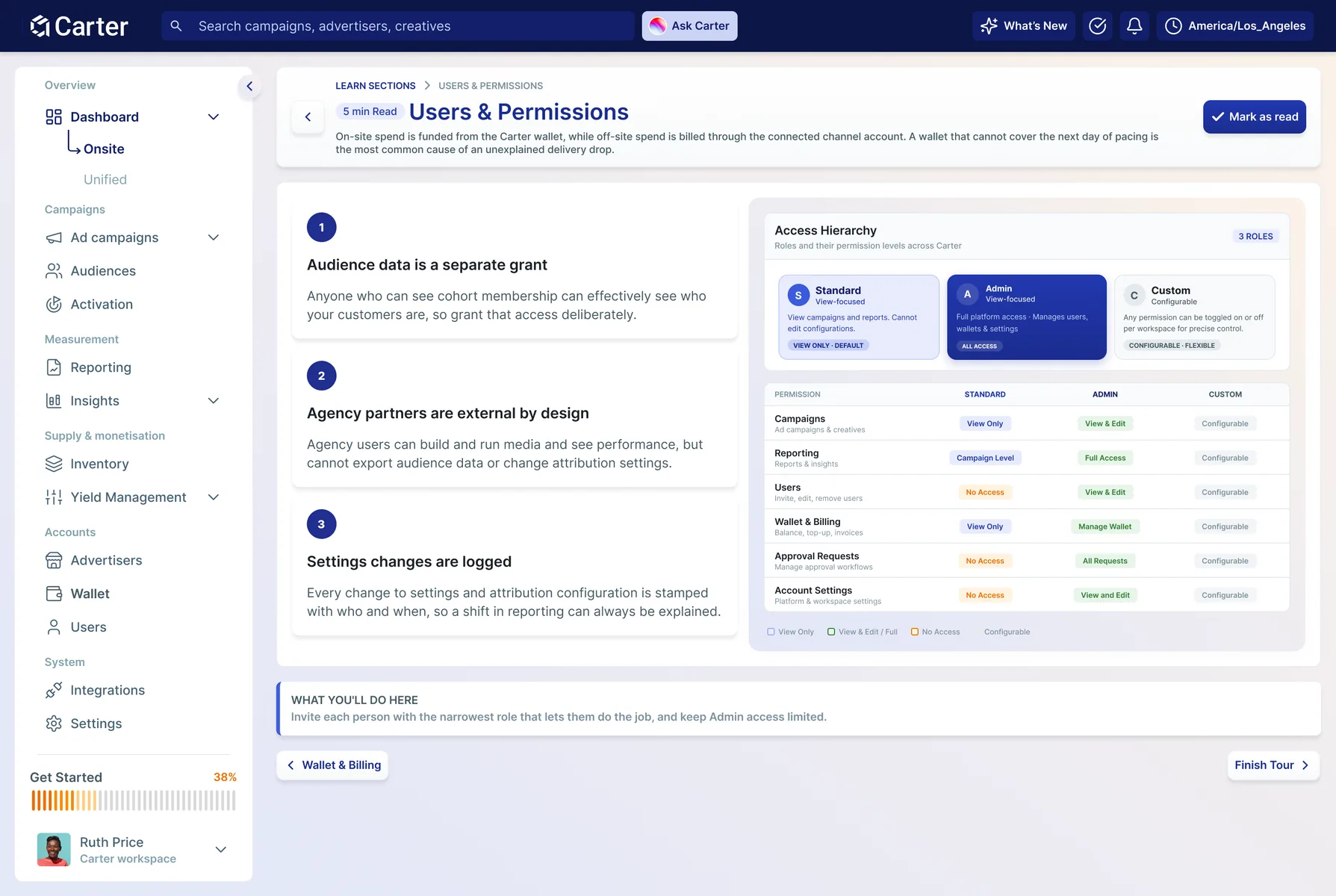
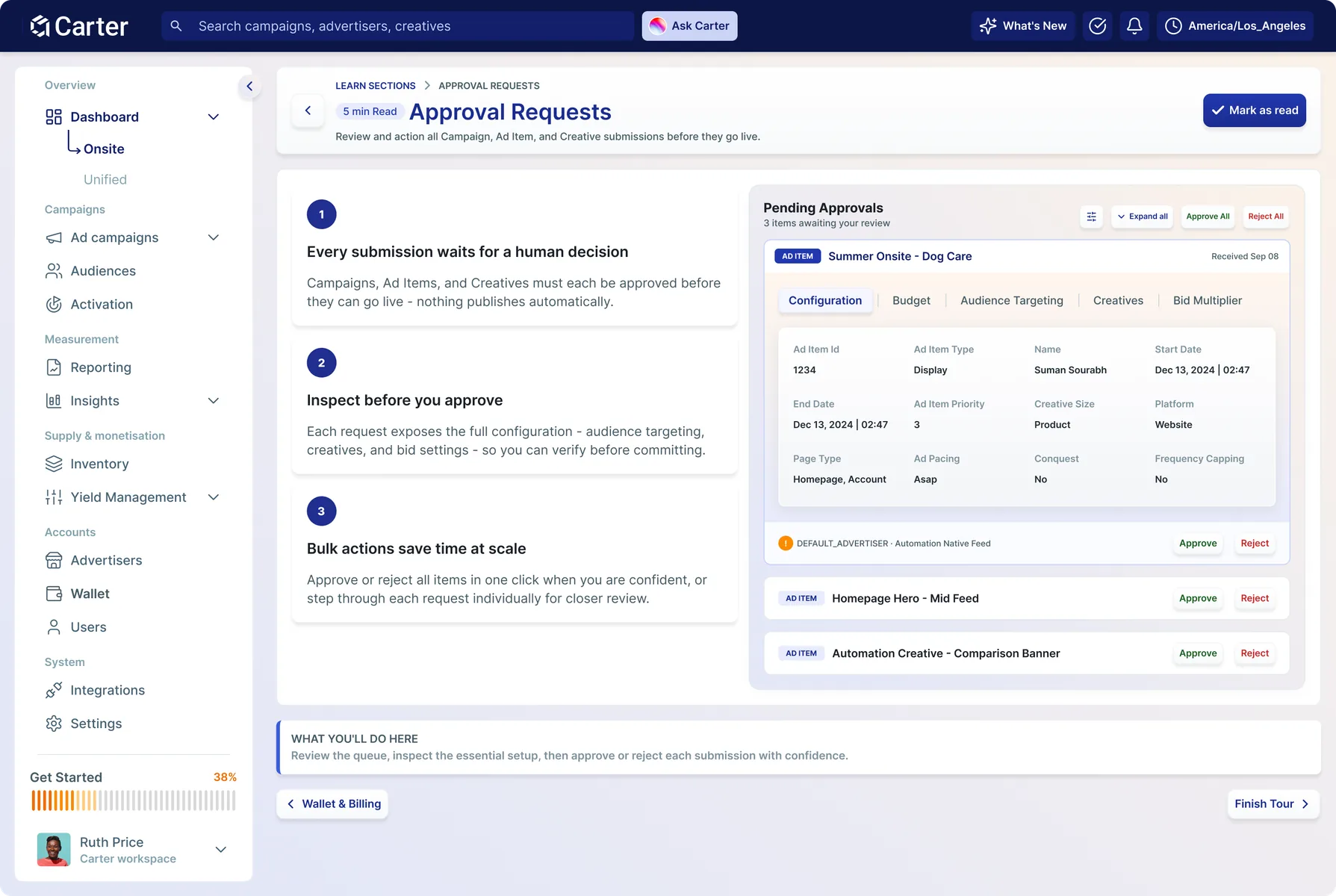
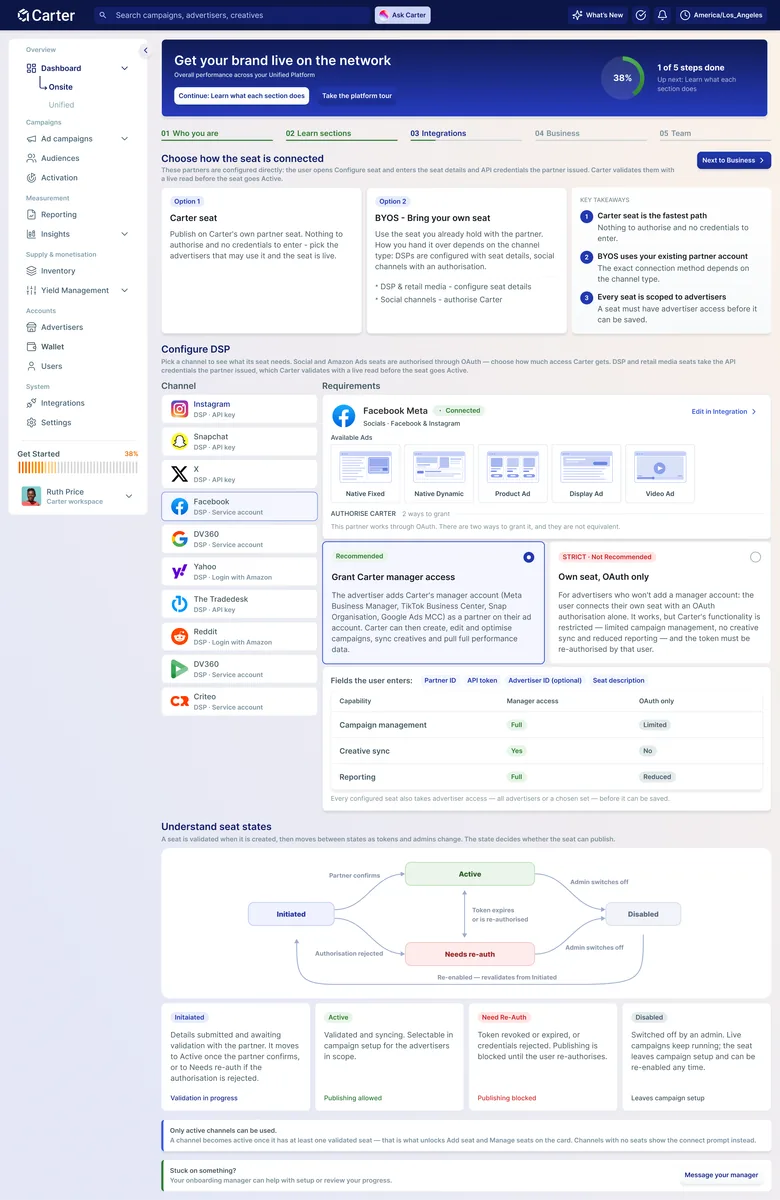
Before the decisions below make sense, here is the product itself — the onboarding a new advertiser walks through on their way to a first live campaign.
Step 1
01 — Context & My Role
Two designers. Twelve integrations. Research to shipped UI.
Carter had product-market fit but a product that was quietly breaking people. The Product Head gave me design ownership because I could read the codebase, run user research, and ship the UI myself. Day to day I worked with a 12-person core team inside an 80+ person org; the wider product group ran their own tracks. Design stayed lean throughout — I was one of two designers covering 12 DSP integrations, which is why the work had to be systematised rather than drawn screen by screen.
Timeline note: I moved onto Carter after leading the first stage of Atlas, and kept supporting Atlas part-time through Phase 1 here before returning to it full-time later. The twelve months below are the Carter engagement window, not twelve months of exclusive work.
Specs & Scope
Wrote detailed design specs and acceptance criteria. Helped prioritize what shipped and what didn't.
Embedded with Engineering
Partnered daily with the frontend team inside an 80+ person org — specs and design QA on every ticket.
QA & Jira Process
Structured acceptance criteria, expected behavior, and edge cases for every ticket.
“The platform works, but nobody outside the team knows how to use it confidently.”— Internal Stakeholder Interview
02 — The Call I Made
The team wanted features. I pushed to fix activation first.
How I made the case to leadership
I scored the backlog using RICE — reach, impact, confidence, effort — and the picture was clear: the largest win available wasn't a new feature, it was the campaigns already being started and never finished.
The VP of Sales pushed back — “we need feature X for the Kroger deal.” I walked leadership through what the interviews, session recordings and funnel query actually showed: advertisers stalling in draft, repeatedly, at the same step. That got the fix prioritised ahead of the roadmap.
What discovery actually found
Interviewed 8 advertisers + 5 internal ops over 2 weeks. Pulled 200+ session recordings from Hotjar. The key insight: users weren't confused by complexity — they had no confidence signals at any step. That reframed the problem from “simplify the UI” to “add feedback at every decision point.”
Stalled drafts
Campaigns started, never launched
Advertisers dropped at the same step of the campaign builder and left the draft sitting. Directly impacting time to value.
0
Actionable Insights
Ad management was a legacy table. CTR down 40%? No guidance on what to do. Retention killer.
12
Teams, Zero Consistency
Every team built UI independently. Engineering velocity bled out on rework.
03 — What I Designed
Decision 1 · Design System
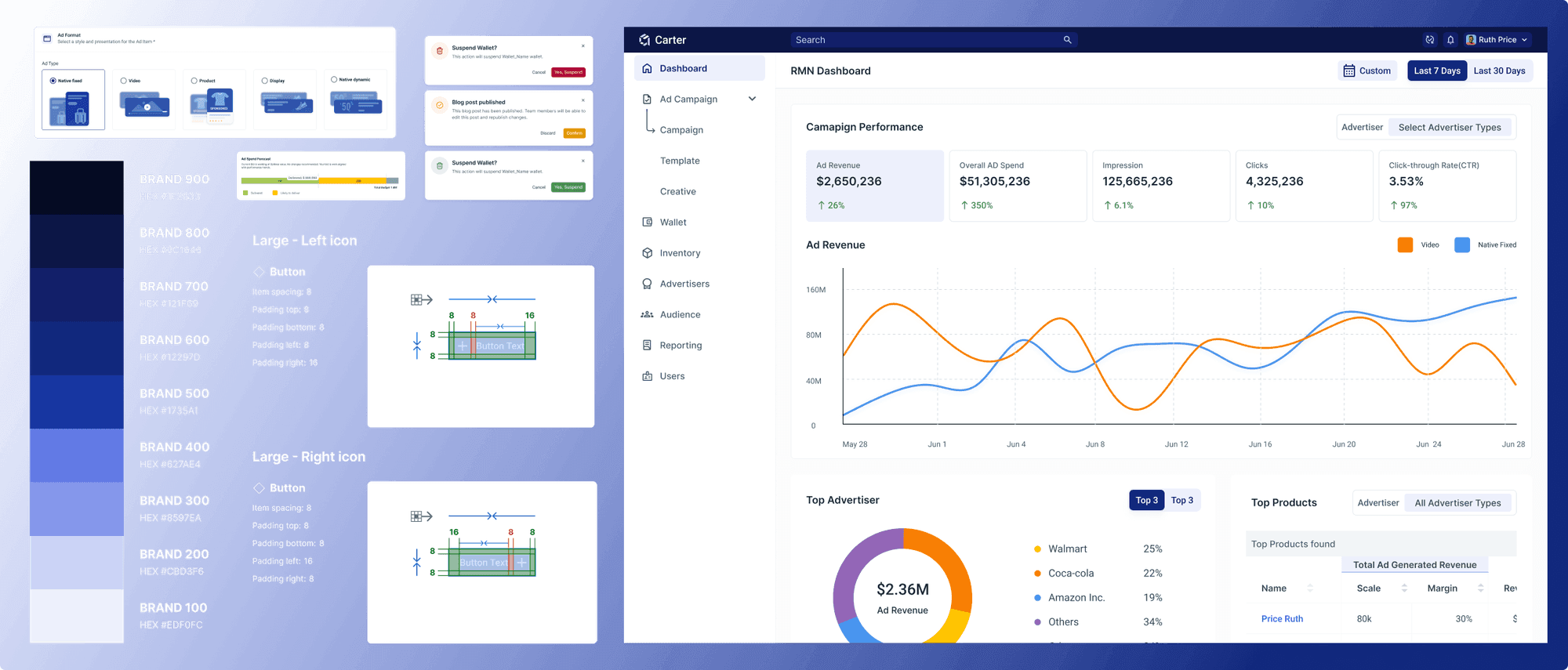
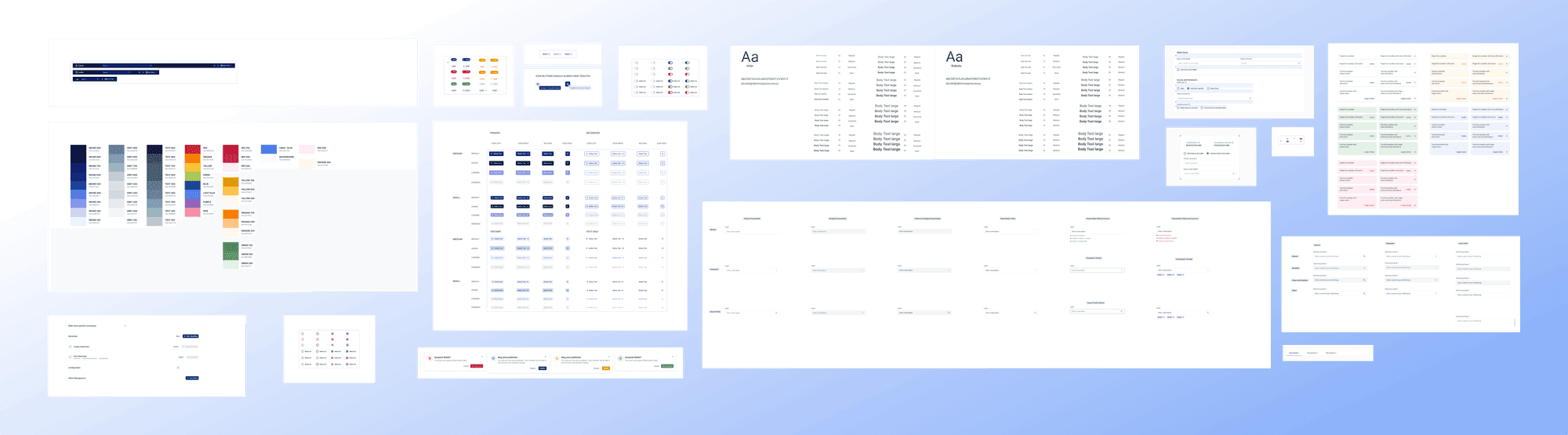
The UI looked like a wireframe. So I built the system underneath it.
Why a system, not a screen-by-screen redesign
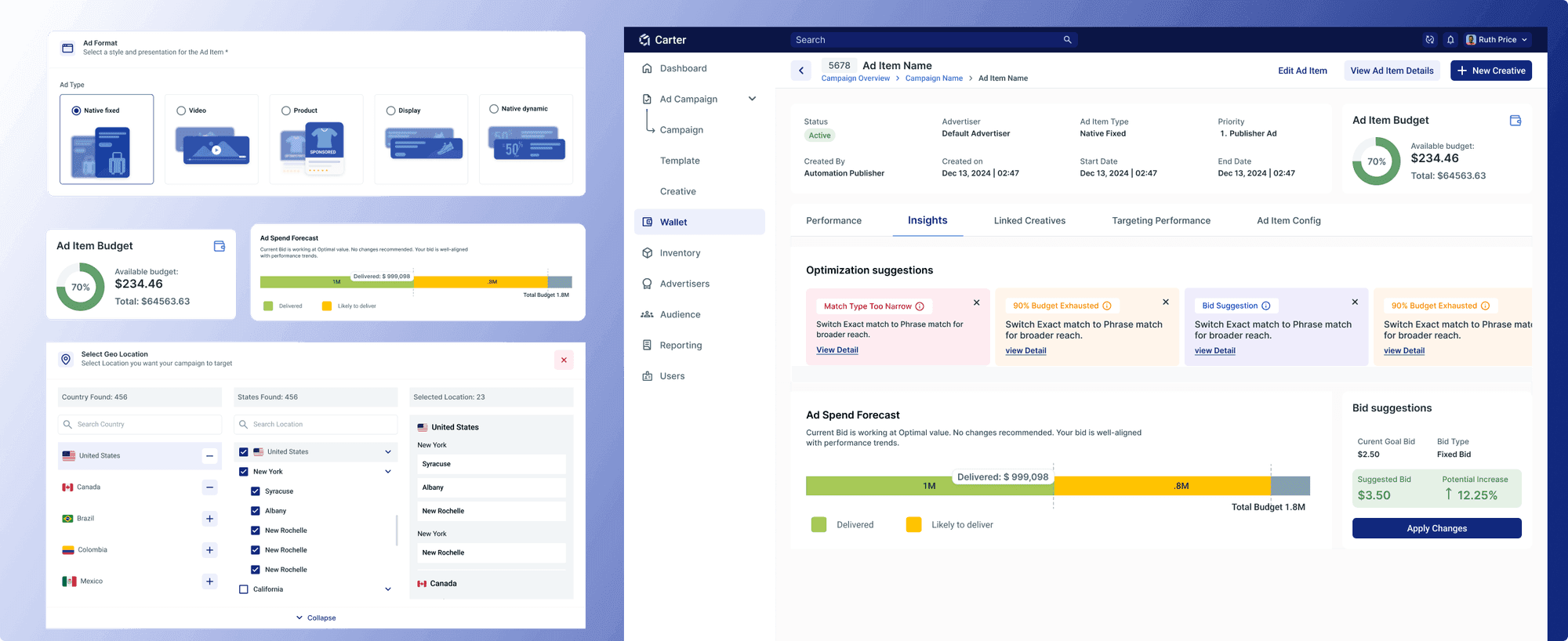
The platform had no visual consistency — spacing, colour and components drifted screen to screen, and much of it still read like a mid-fi wireframe. Redesigning screens one at a time wouldn't hold, because every team was building UI independently and re-solving the same problems. So the first call wasn't a screen, it was the layer underneath: a governed component library with design tokens, documented states, an 8pt grid and WCAG 2.1 AA baked in — with design-to-code parity in Storybook, so every new screen inherited consistency by default.
1 library
Tokens, components, and documented states adopted across the platform.
+30%
Faster shipping velocity once engineering built from shared components.
Storybook
Design-to-code parity — the same component in Figma and in production.
Product Decision 2 — Activation Funnel Fix
From a form dump to a guided 5-stage flow
Wrote the PRD, mapped every drop-off from session recordings. Applied Hick's Law — reduced choices from 12 to 3 per step. Each stage gave live validation and AI-powered budget recommendations.
The four product calls inside the flow
Persistent Progress State
Scoped in PRD. Users jump between steps without data loss. TTV dropped immediately.
Inline Validation
Eliminated the #1 support ticket. Errors per field, not a post-submission wall.
AI Budget Nudges
Historical spend recommendations embedded in the flow. Contextual guidance, not a modal.
Pre-Launch Forecast
Projected impressions, clicks, ROI. Gave advertisers conviction. Launch rate +20pts.
Before and after, metric by metric
What didn't work first
First version of AI budget nudges auto-filled spend amounts. Advertisers didn't trust automated inputs on day one and largely left them alone. Reworked it into suggestions sitting beside manual controls — the model proposes, the advertiser still decides.
Product Decision 3 — Retention Feature
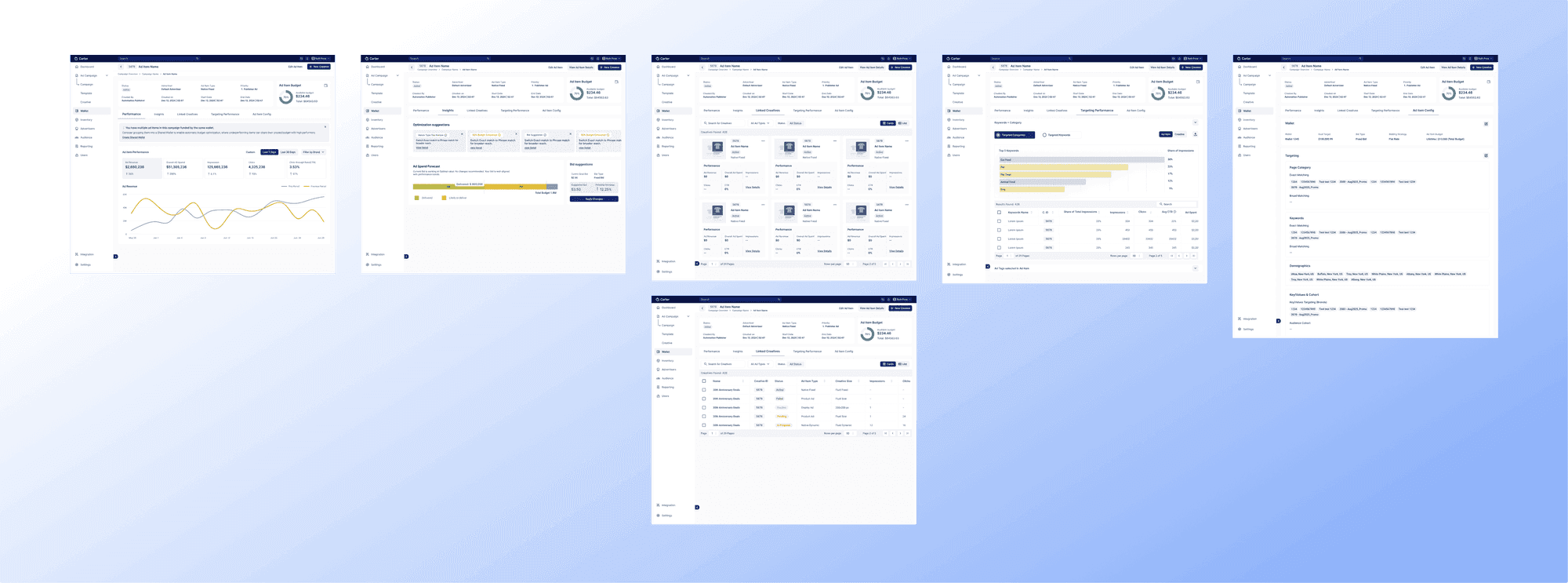
From a reporting table to an optimization engine.
Card-based layout with pacing charts, proactive alerts, and one-click actions. Product bet: move from passive reporting to active guidance.

Phase 1 — Business Outcomes
These are one chain, not separate results. Rebuilding the dense form as a short guided flow cut draft abandonment 8%, so more of the campaigns advertisers started actually reached launch. The agentic assistant then took the launch itself from 1.5 hours to 30 minutes. In parallel, the component library made engineering 30% faster, which is what let a two-designer team keep pace with 12 DSP integrations.
4.6/5
Usability score, task-based sessions.
30%
Faster shipping velocity from component infrastructure.
↓ 8%
Draft abandonment after the guided-flow rebuild.
3×
Faster campaign launch — 1.5 hours down to 30 minutes.
Figures are internal metrics measured post-launch over the phase window.
05 — Scaling The Bet
Phase 1 earned trust. I used it to expand the platform.
How the mandate expanded
After the redesign shipped, enterprise clients started asking for cross-network campaign management. I ran competitive analysis — no unified DSP existed for retail media at this scale.
Built the case for leadership: where the gap was, what it would take to close it, and a phased roadmap to get there. The argument that landed was simple — advertisers already running on several networks were the ones asking, and they were the accounts worth keeping.
Phase 2 — Cross-Network Features
One platform. Every retail ad network.
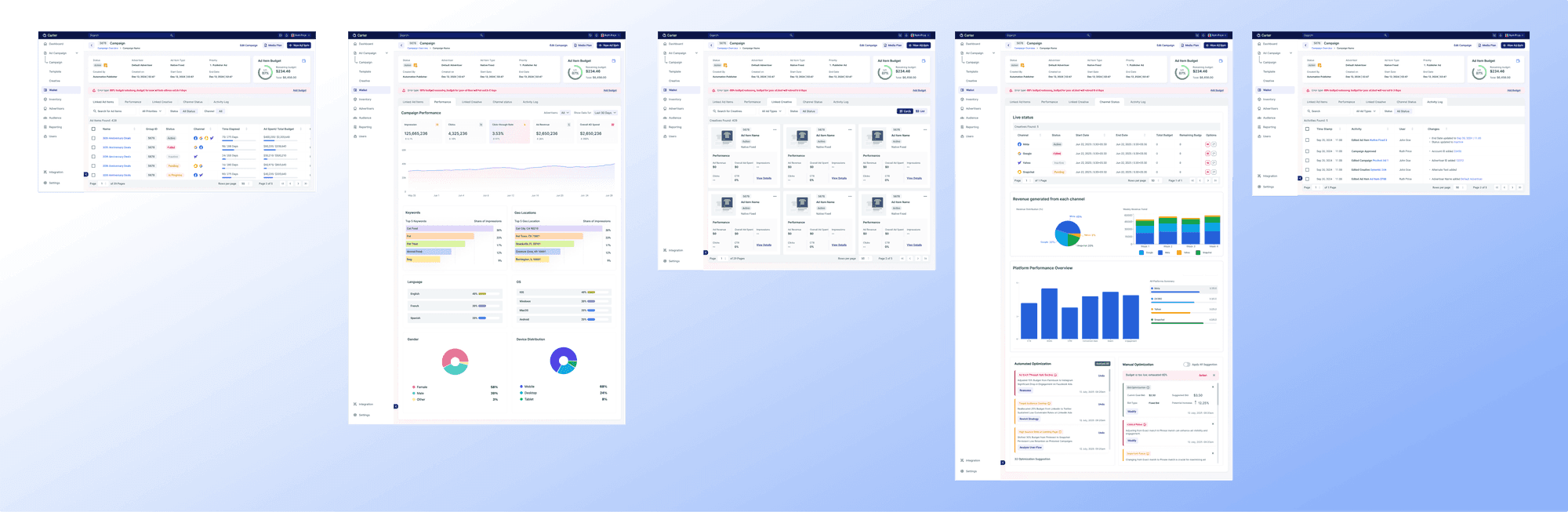
Carter's cross-network command center — plan, launch, and measure campaigns across every retail media network in one place. I owned the design of these features end-to-end — research, IA, interaction design, and design QA alongside the frontend team.
“I spend 4 hours every Monday just pulling reports. I still don't know which channel is working.”— Enterprise Advertiser, User Research
Cross-Network Performance
The market gap, and the north stars I set against it
The Market Gap
No unified performance view across networks
Creative uploaded per-network — massive duplication
Budget splits done manually. Overspend on saturated segments
North Star Metrics
A cross-network launch should cost one campaign's time
Creative compliance through per-network spec validation
Single KPI standard — one source of truth
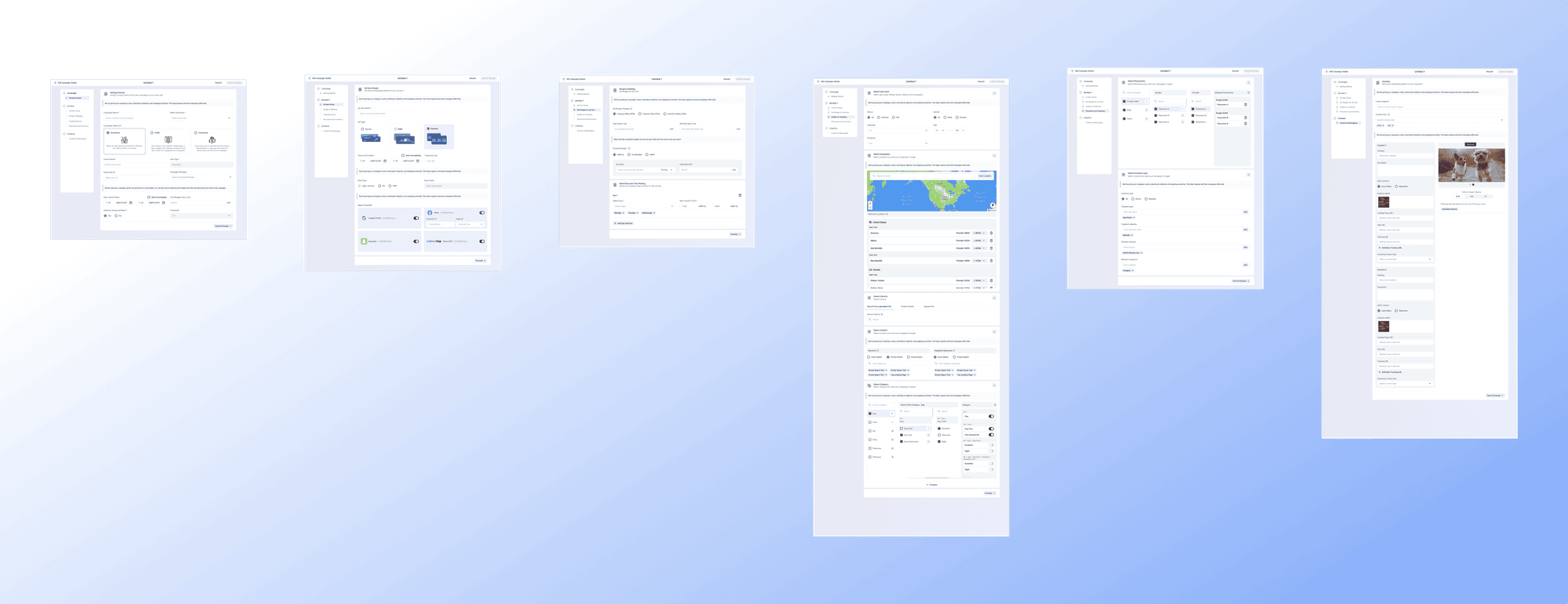
Multi-DSP Campaign Launcher
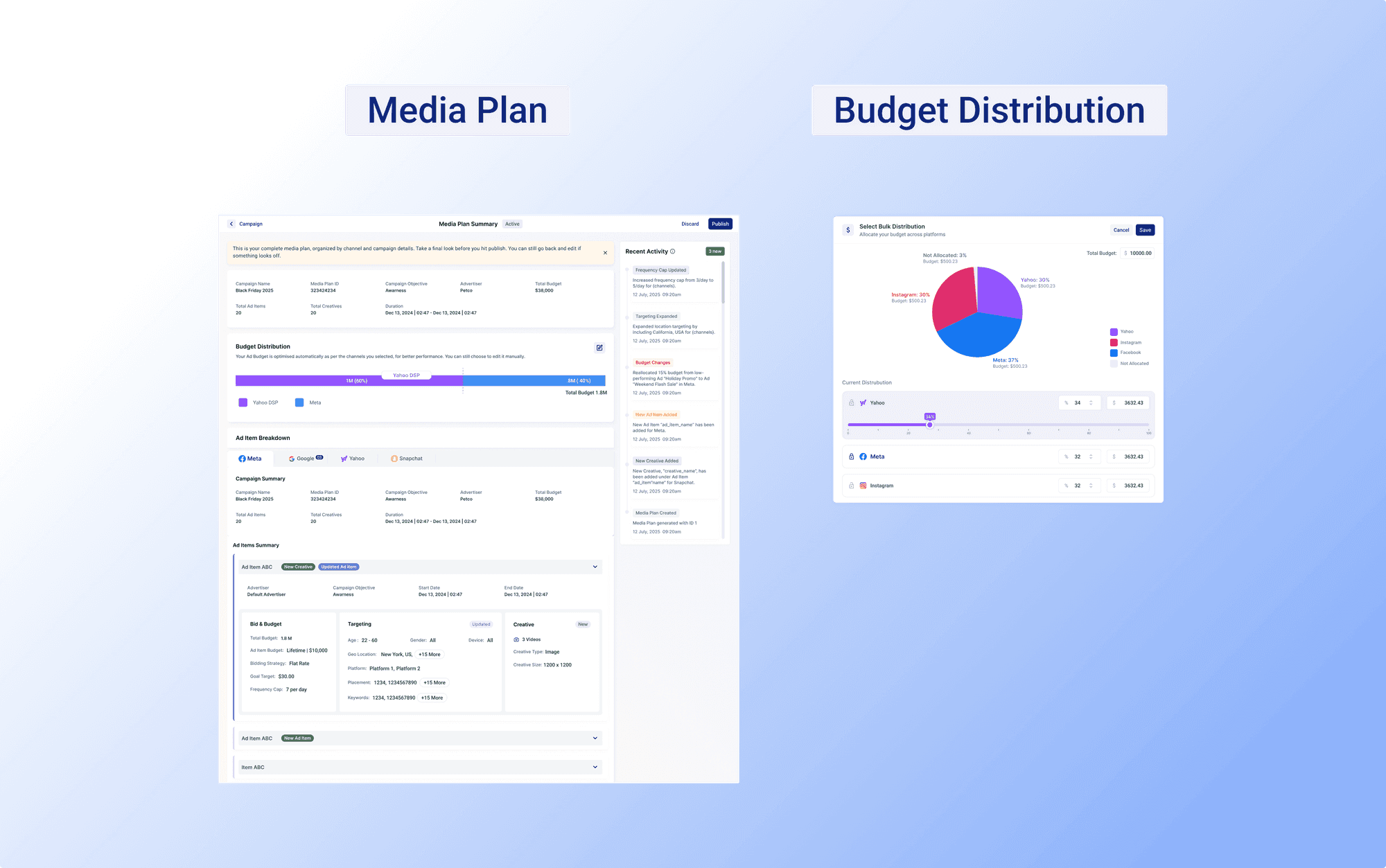
Media Plan & Budget Distribution
What I Said No To
A long module wishlist, scoped down to what shipped. Cut real-time bidding (no data yet), custom attribution (3-month build, unclear ROI), and white-label theming (sales request, not user need). Every cut documented in the PRD with trigger conditions for revisiting.
Product Decision — Agentic AI Campaign Assistant
Campaign creation: 1.5 hours → 30 minutes.
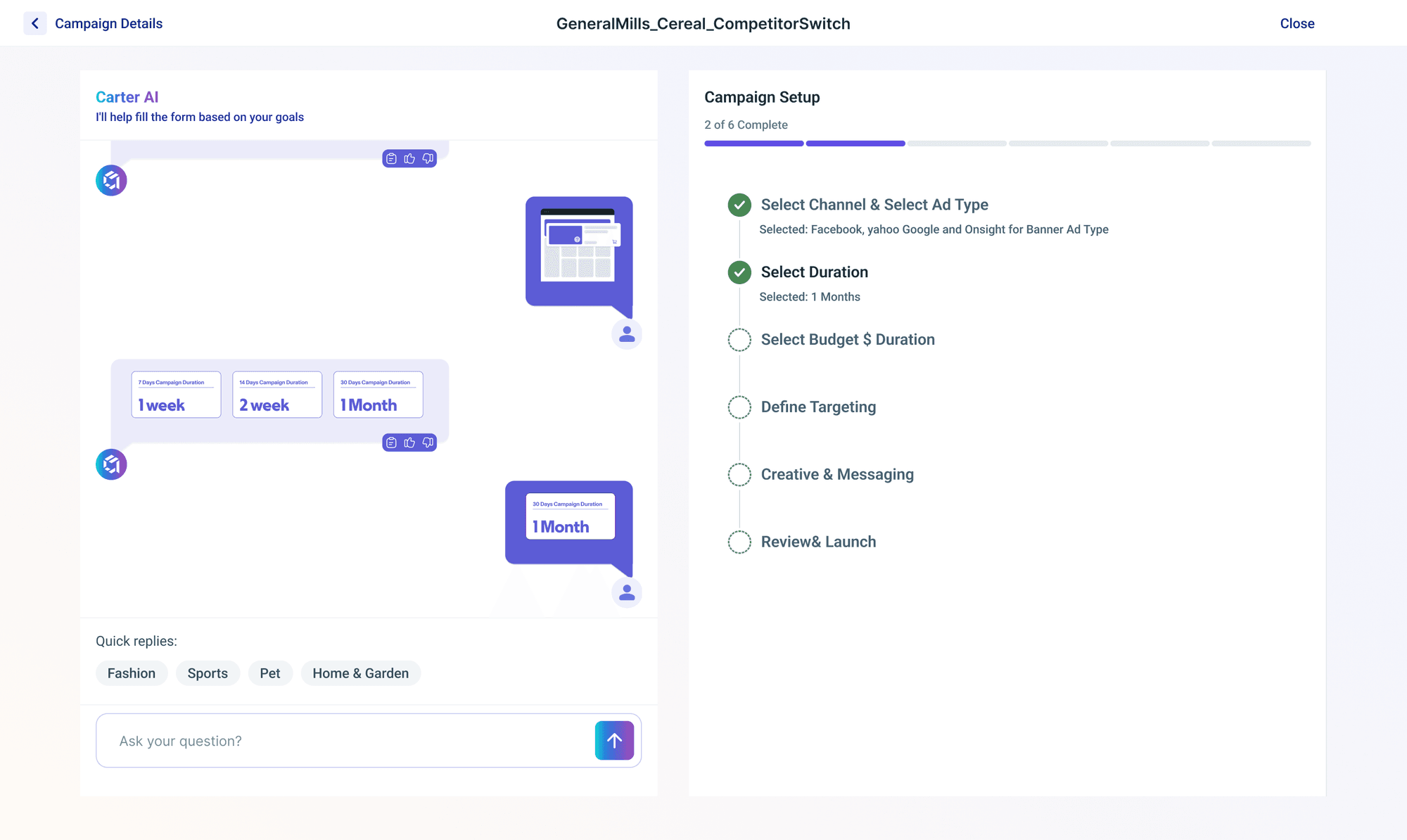
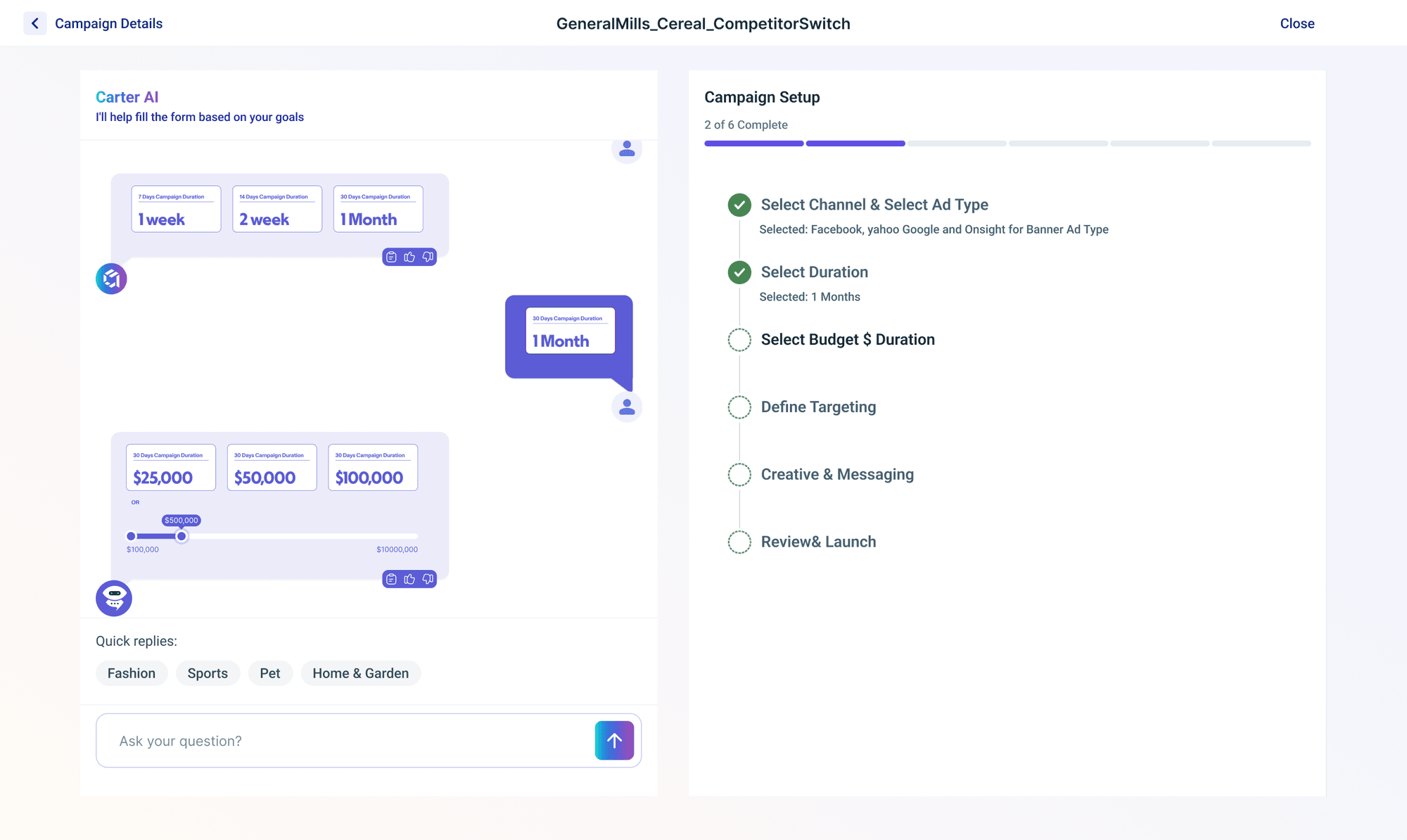
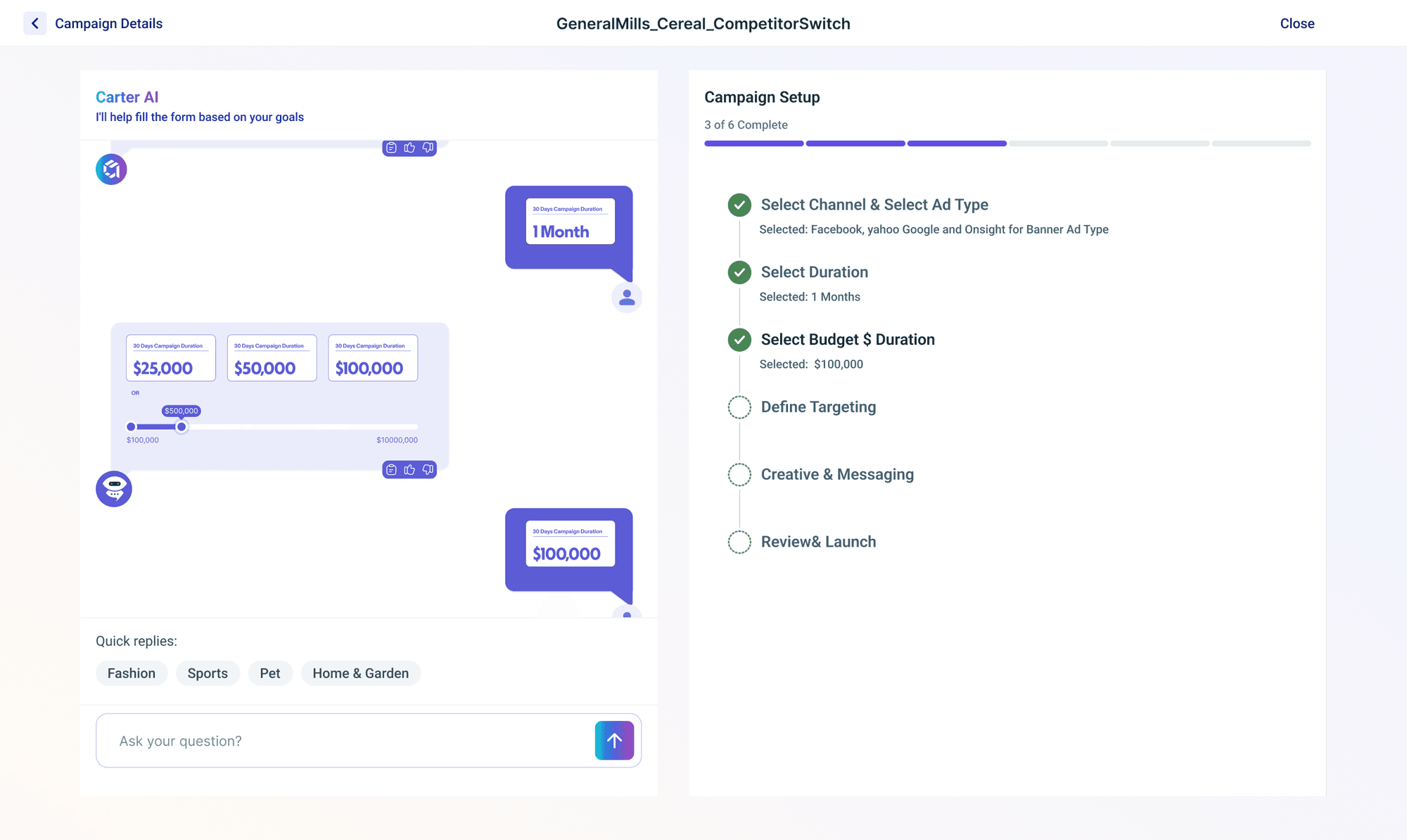
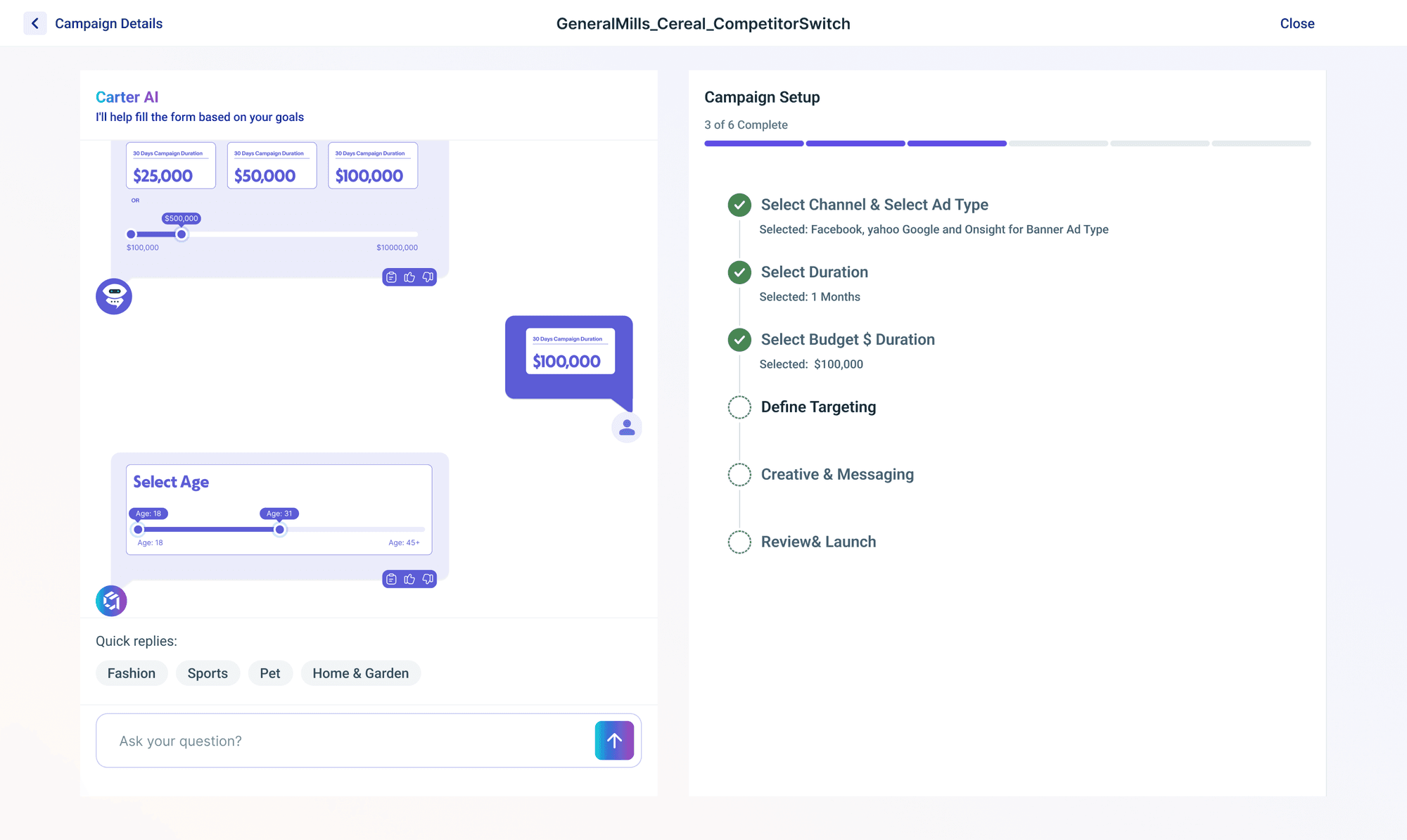
Even with the guided flow, building a campaign still meant manually translating a media brief into targeting, budgets, flight dates, and creative slots. I designed and shipped an agentic assistant on the Claude API: the advertiser provides the brief, the assistant drafts the full campaign structure step by step, and the user reviews and edits each section before anything goes live — human-in-the-loop by design, because advertisers had already shown us they don't trust silent automation.
3×
Operational efficiency — campaign launch time cut from 1.5 hours to 30 minutes.
Draft, don't decide
The assistant proposes; the advertiser approves. Every AI output editable before launch.
Spec-checked
Drafts validated against each network's specs before submission — errors caught pre-launch, not post.
The flow, screen by screen
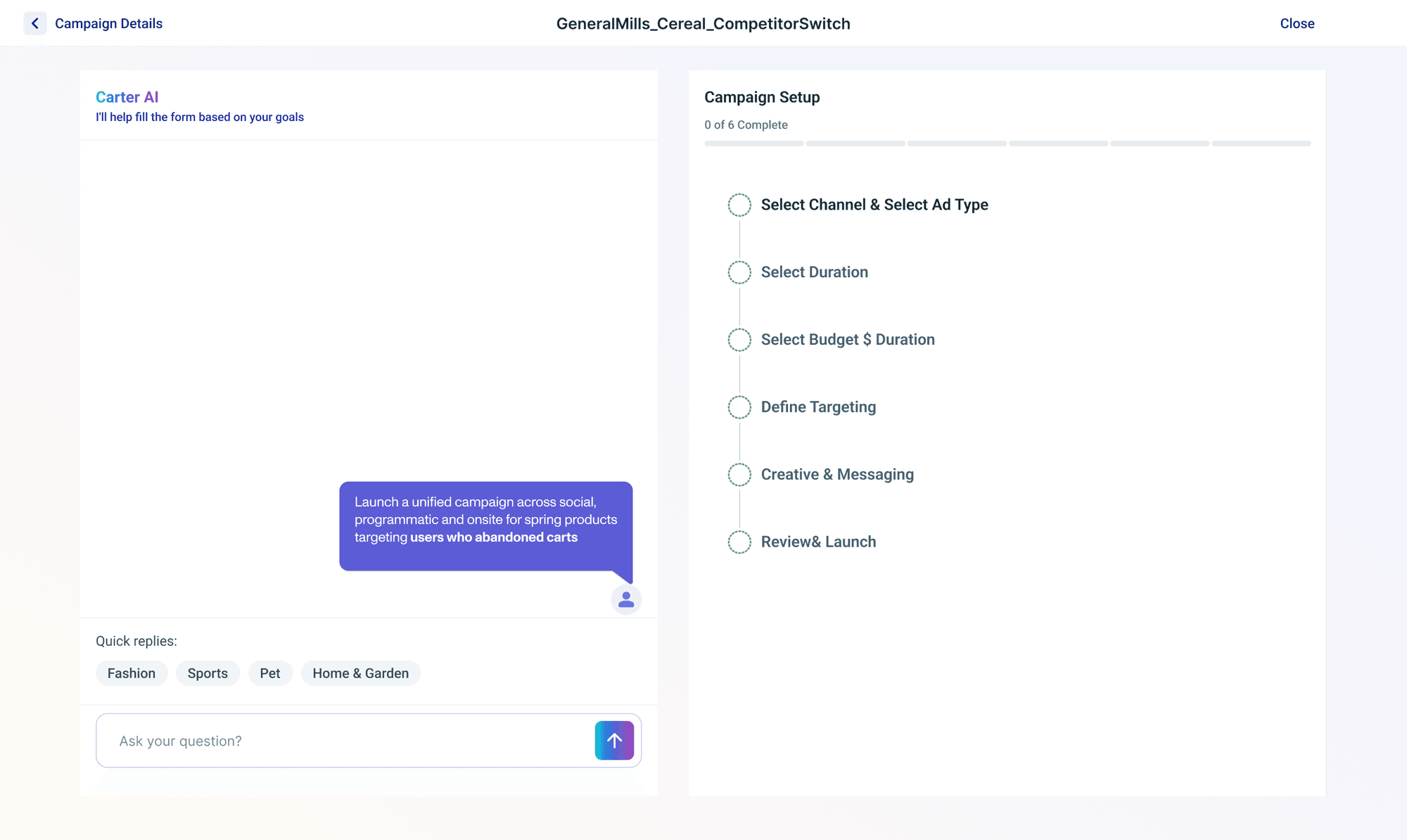
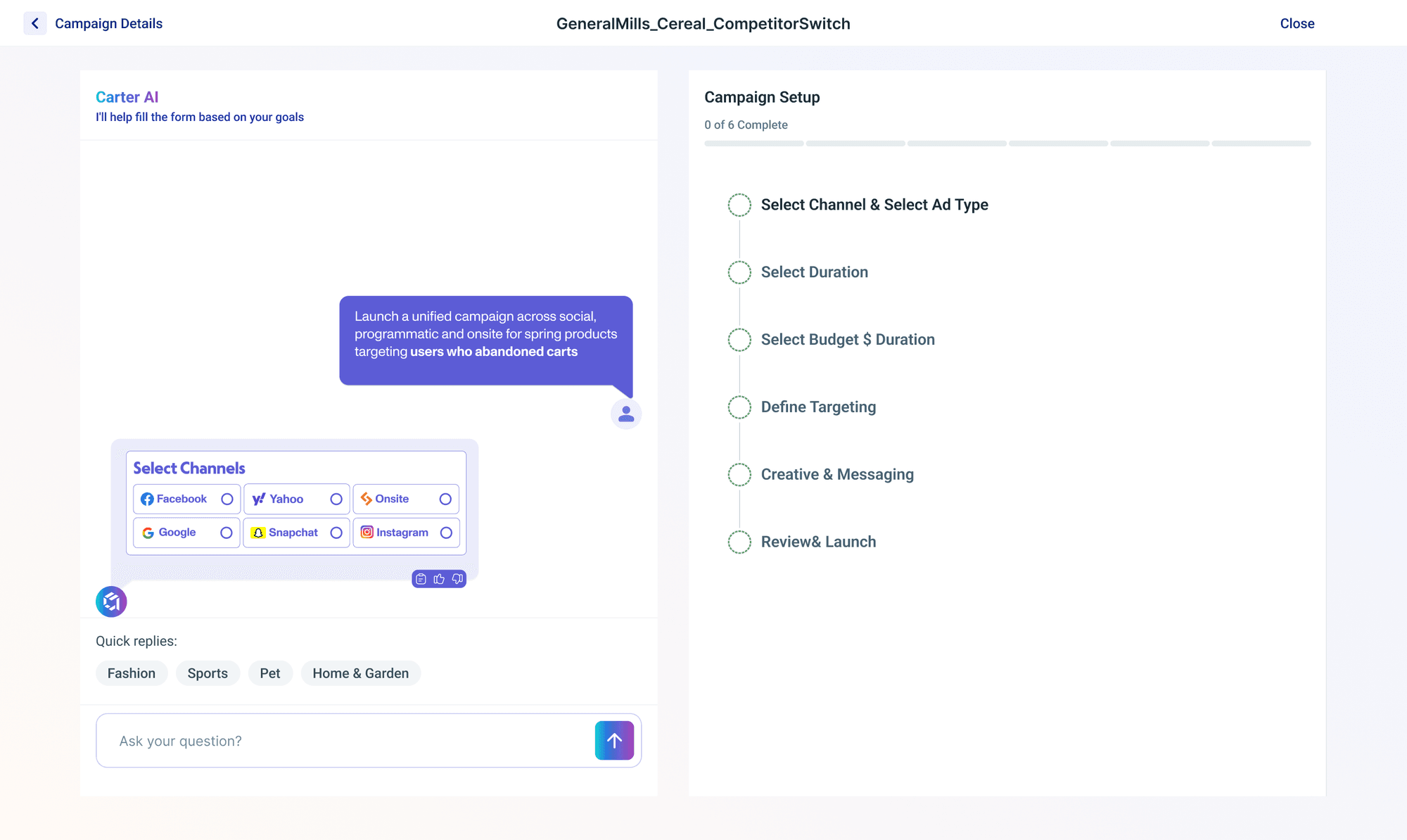
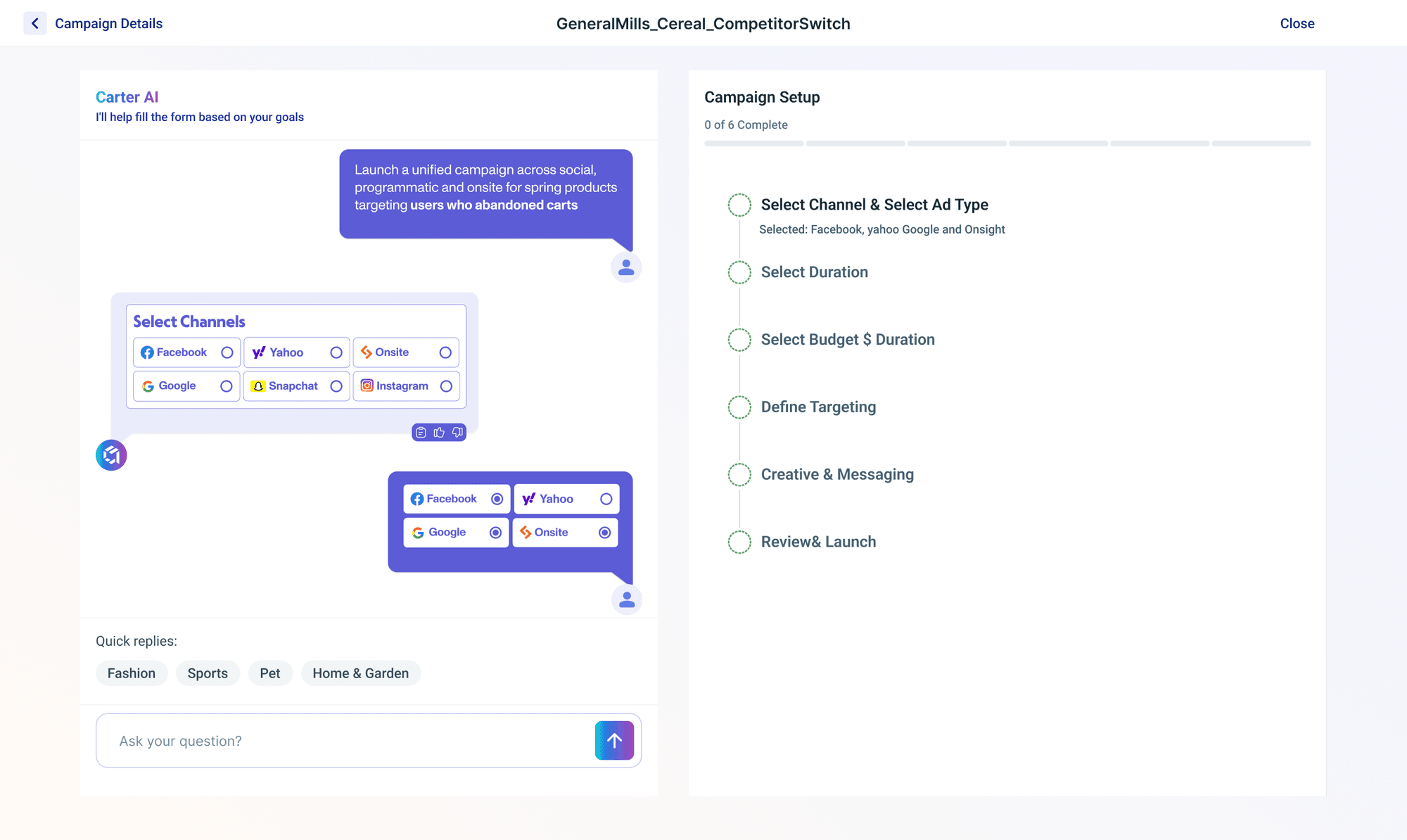
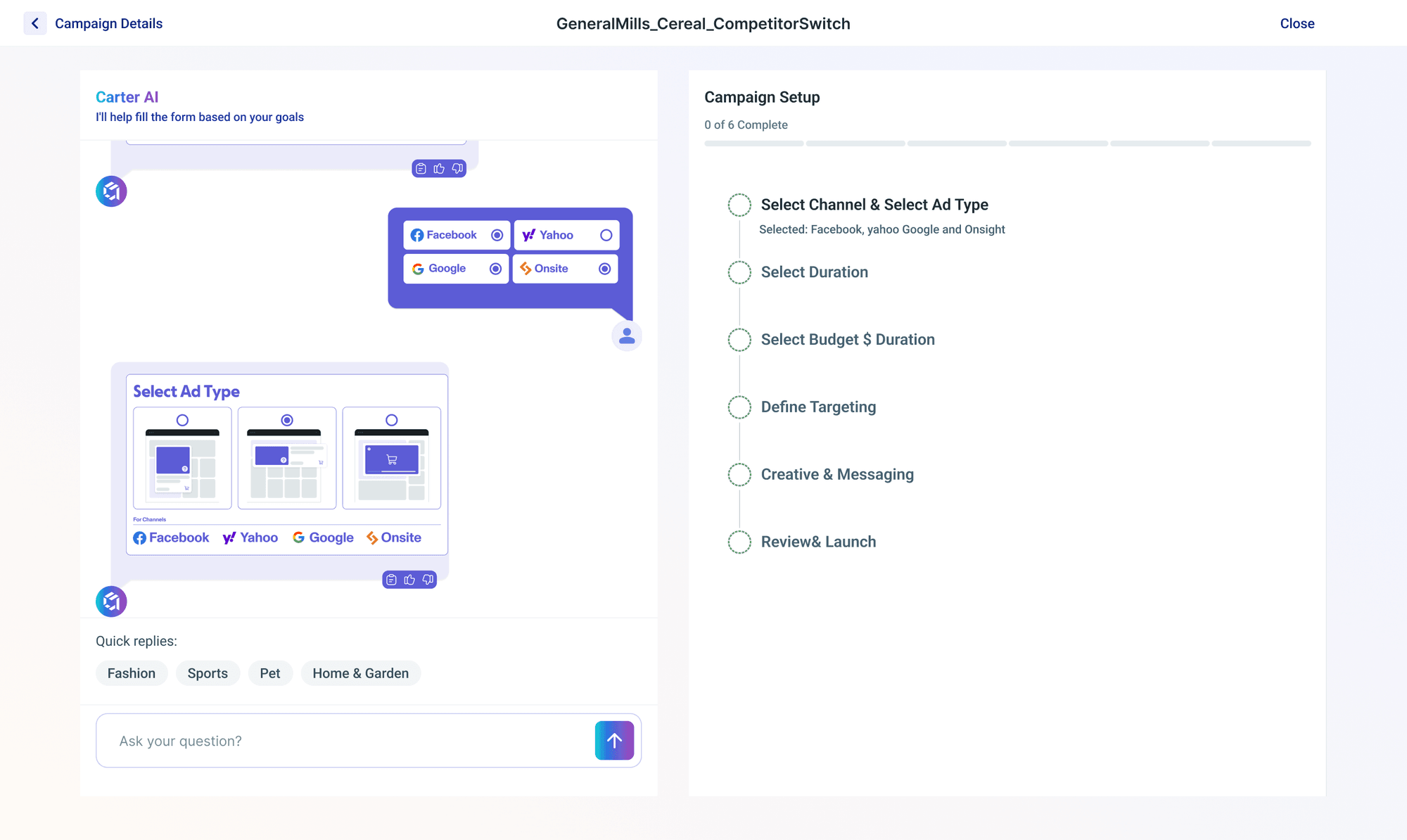
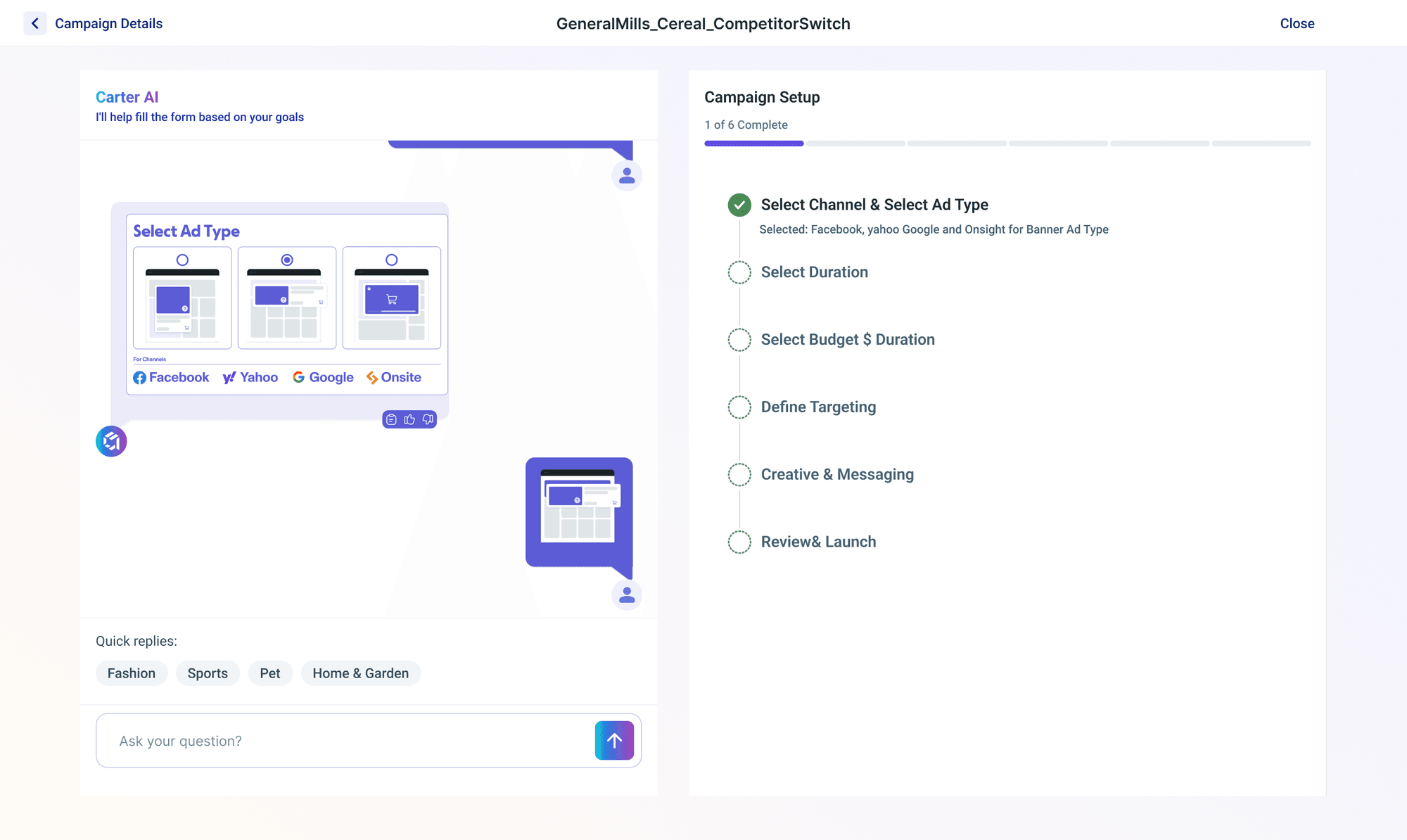
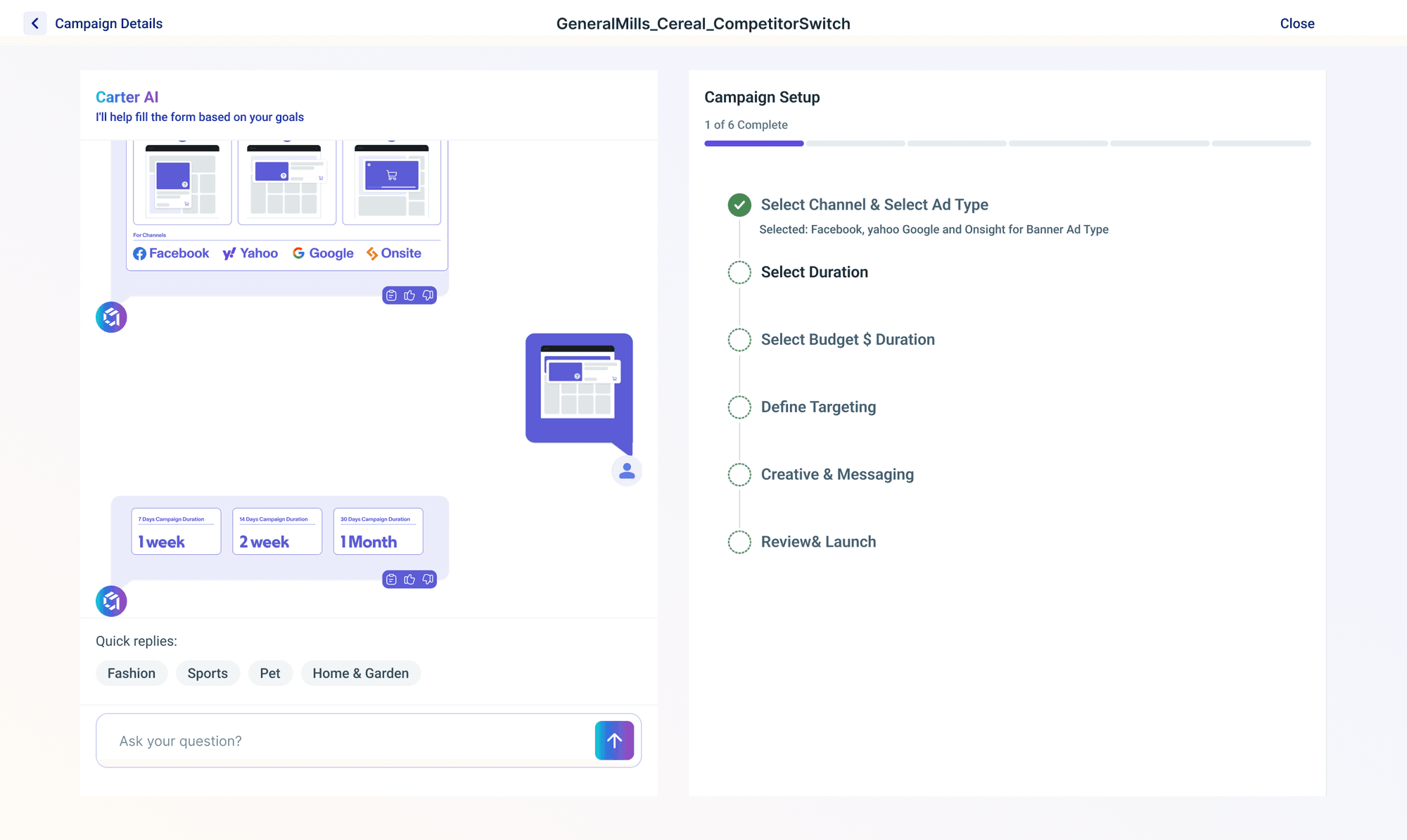
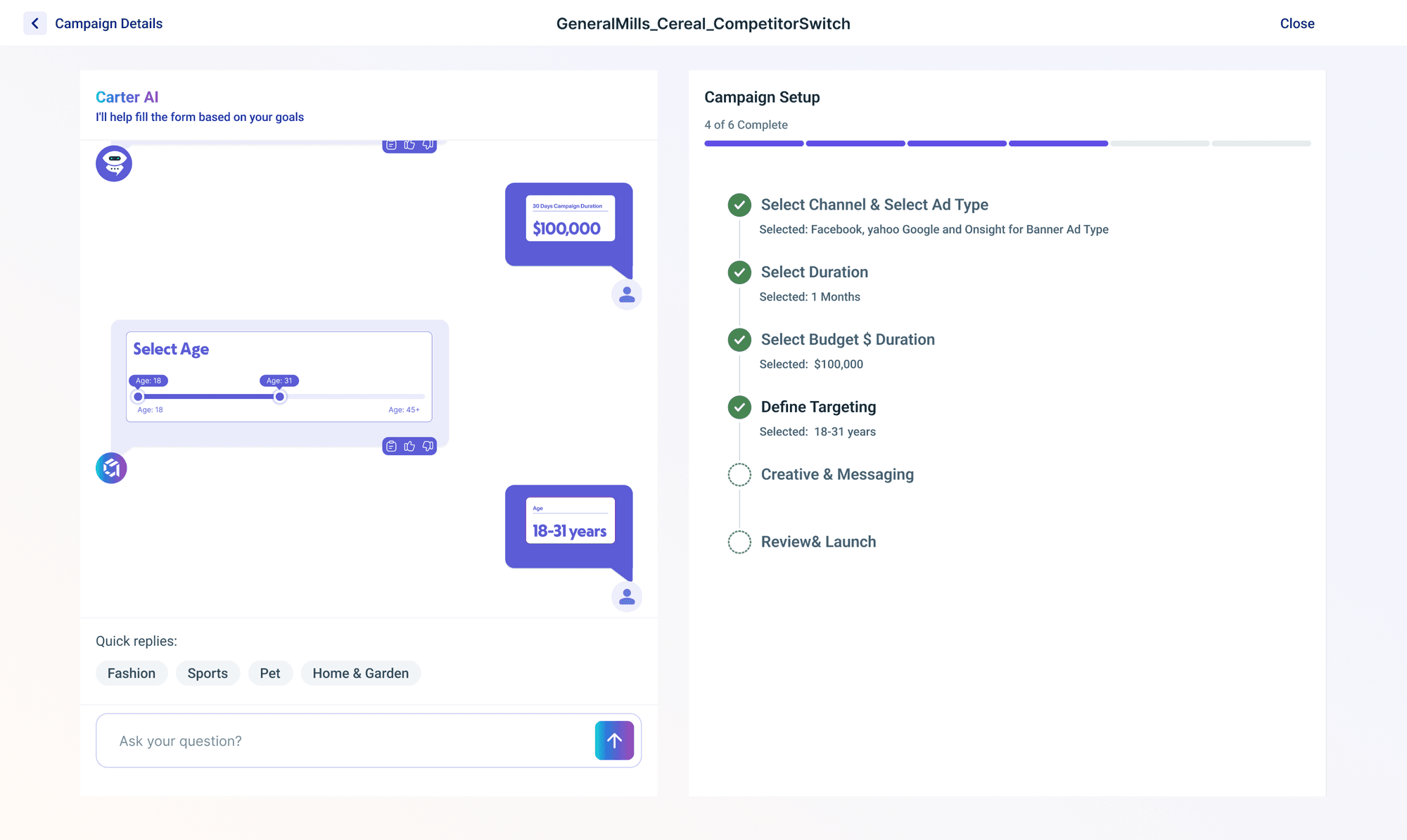
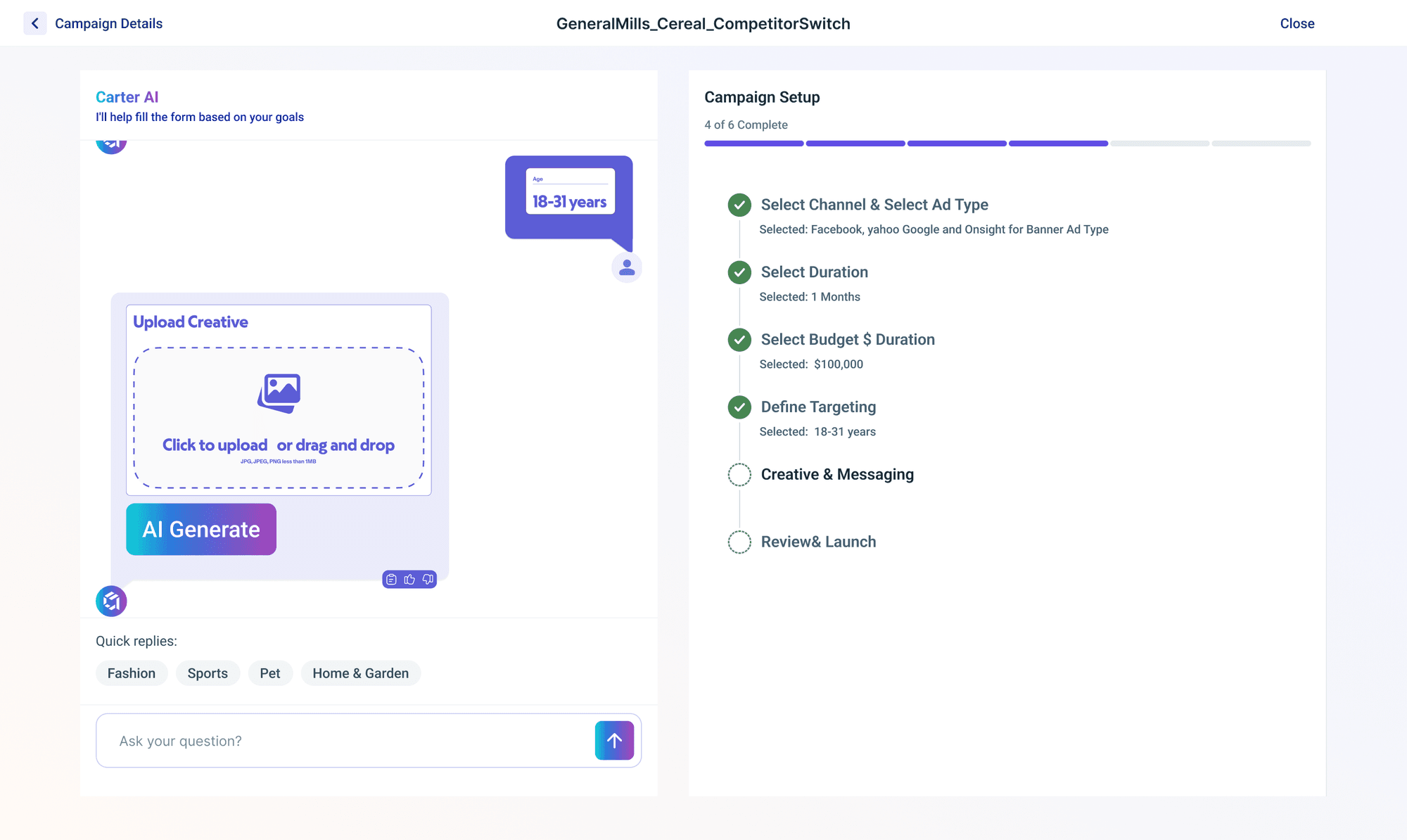
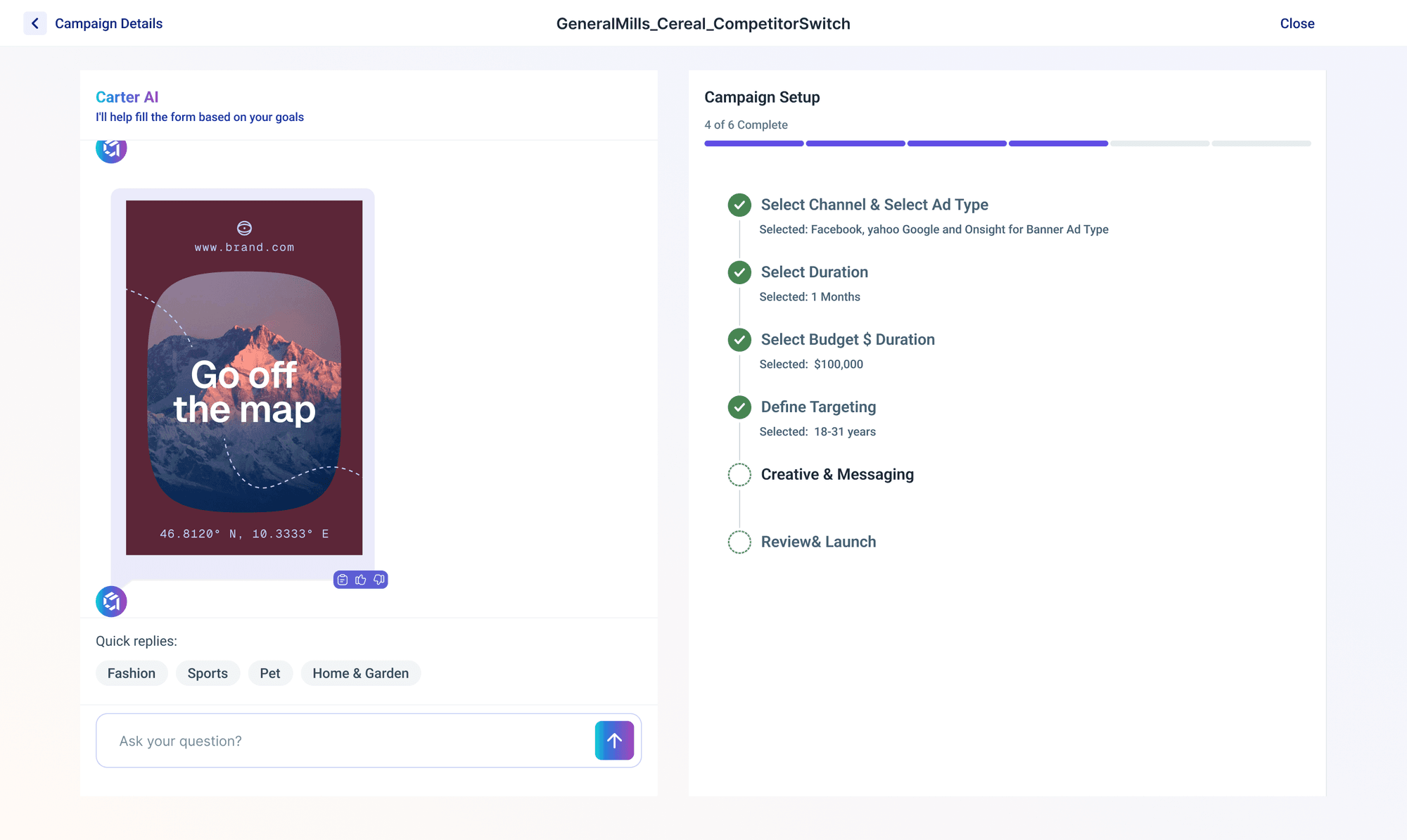
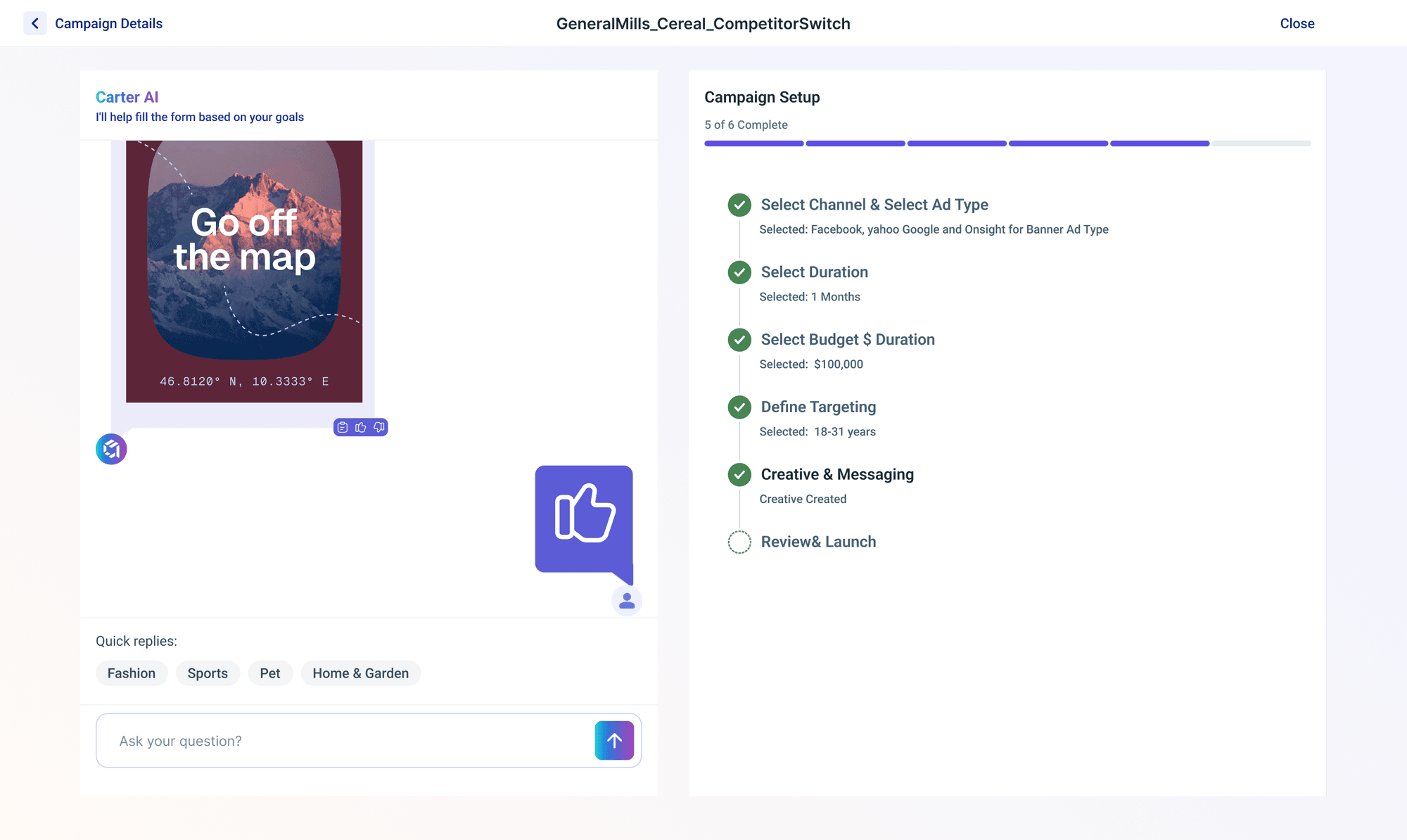
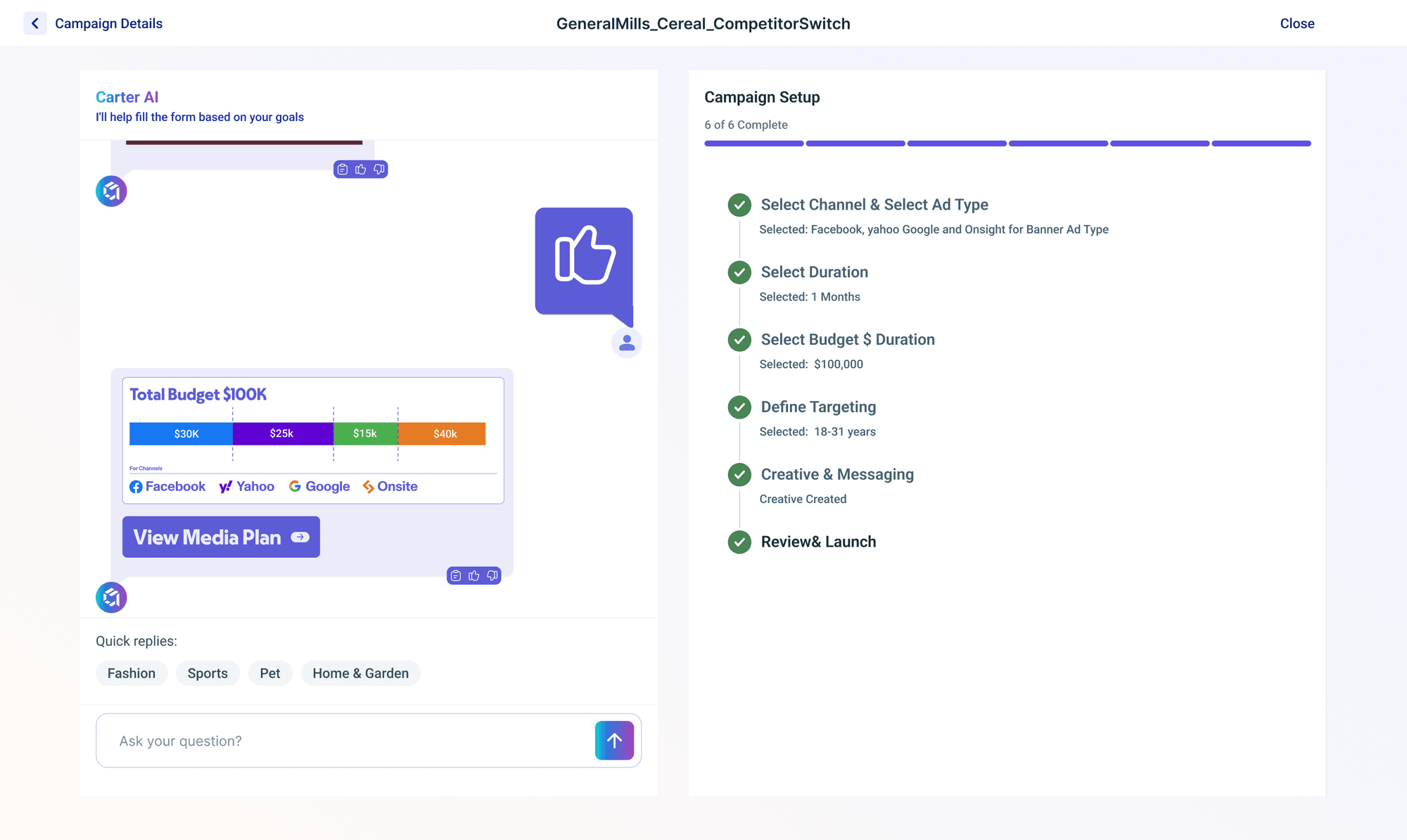
Guided campaign setup
Product Architecture
Four bets that defined the DSP
Unified Orchestration
One campaign pushed to all RMNs with auto-reformatting.
Shared Targeting
Audience overlap detection across networks. First-of-its-kind.
Dynamic Creative
One master asset → compliant variants for every network.
Smart Budgeting
Real-time spend allocation based on performance signals.
Phase 2 — Impact at Launch
Setup time was the constraint that actually mattered: running a campaign across every network meant repeating the same work per network, so advertisers ran fewer, larger, blunter campaigns than they wanted to. Unifying 12 workflows into one form, with one master creative auto-adapted per network, means a cross-network launch now takes one campaign's time. Validated through task-based sessions with alpha clients.
One form for every network integration
One master, reshaped to each network's specs
Task-based sessions with alpha clients
1.5 hours → 30 minutes with the AI assistant
09 — What I'd Do Differently
The hardest call wasn't a screen. It was asking the team to stop building.
The roadmap was full of new features. The research said the product was losing people before they ever reached one. Arguing for two sprints to fix activation instead — on a team that wanted to ship — was the decision everything else rested on, and it moved campaign launch rate by twenty percentage points.
After that the work was ordinary in the best sense: interviews and session recordings, a design system so teams stopped re-solving the same problems, specs and QA with the frontend group, and every screen in Phase 2 owned end to end.